X Post Search & Article Search
Enter your conditions and Torai builds an advanced X (formerly Twitter) search URL, opening the results in a new tab. Nothing is sent to Torai's servers — everything runs entirely in your browser.
No API key is required.
X Post Search
Open X Post Search under Tools in the left menu.
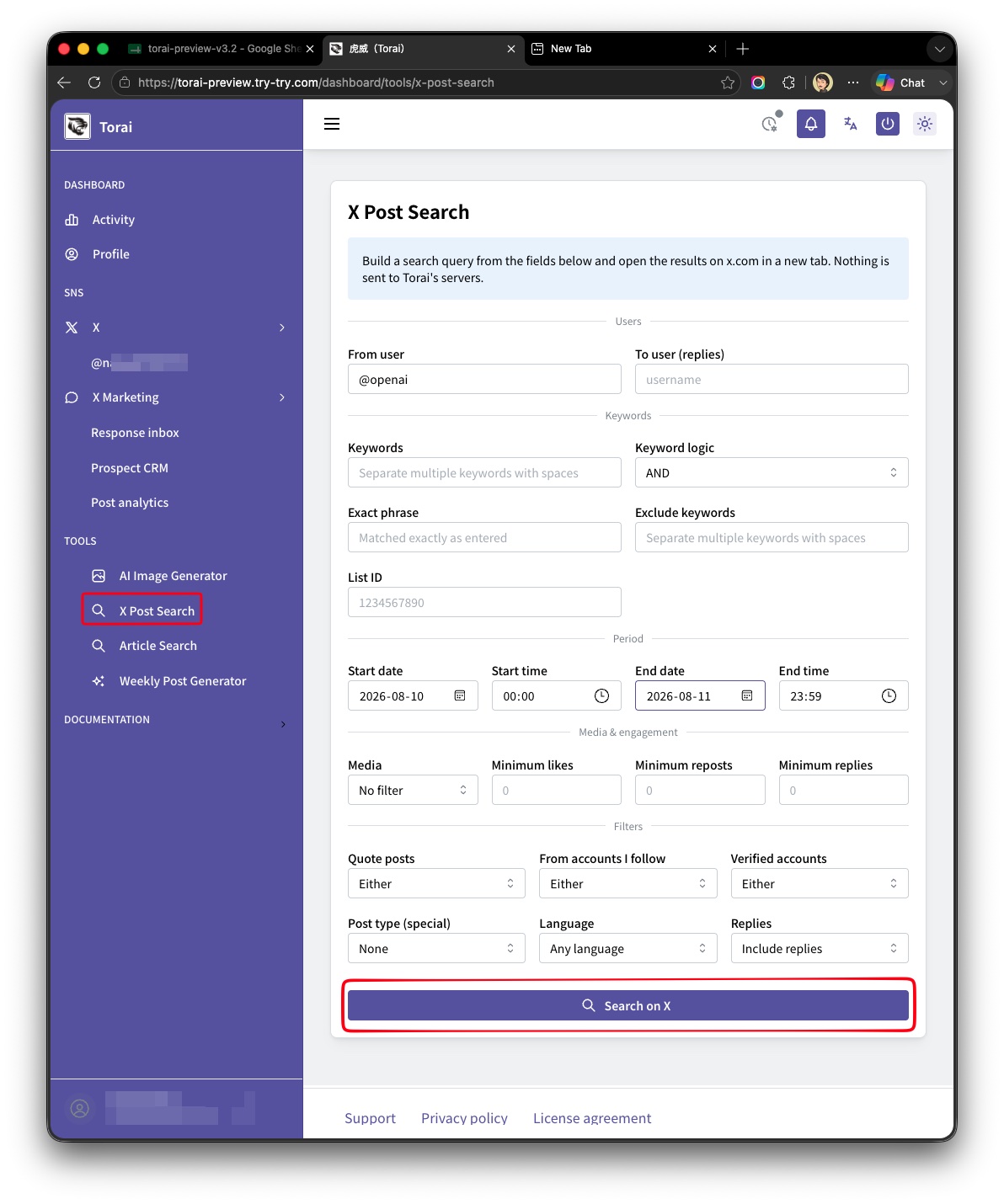
You can fill in any of the following. Fields left blank are simply omitted from the search (at least one field must be filled in).
| Category | Fields |
|---|---|
| Users | From user, to user (replies) |
| Keywords | Keywords (AND/OR), exact phrase, exclude keywords, list ID |
| Period | Start date/time, end date/time |
| Media & engagement | Media type, minimum likes, minimum reposts, minimum replies |
| Filters | Quote posts, accounts you follow, verified accounts (each: Either / Only these / Exclude these) |
| Other | Special post type (Spaces / News), language, replies |
Enter your conditions and click Search on X to open the results in a new tab.

Article Search
Also under Tools, open Article Search. This narrows the search to X Articles only.
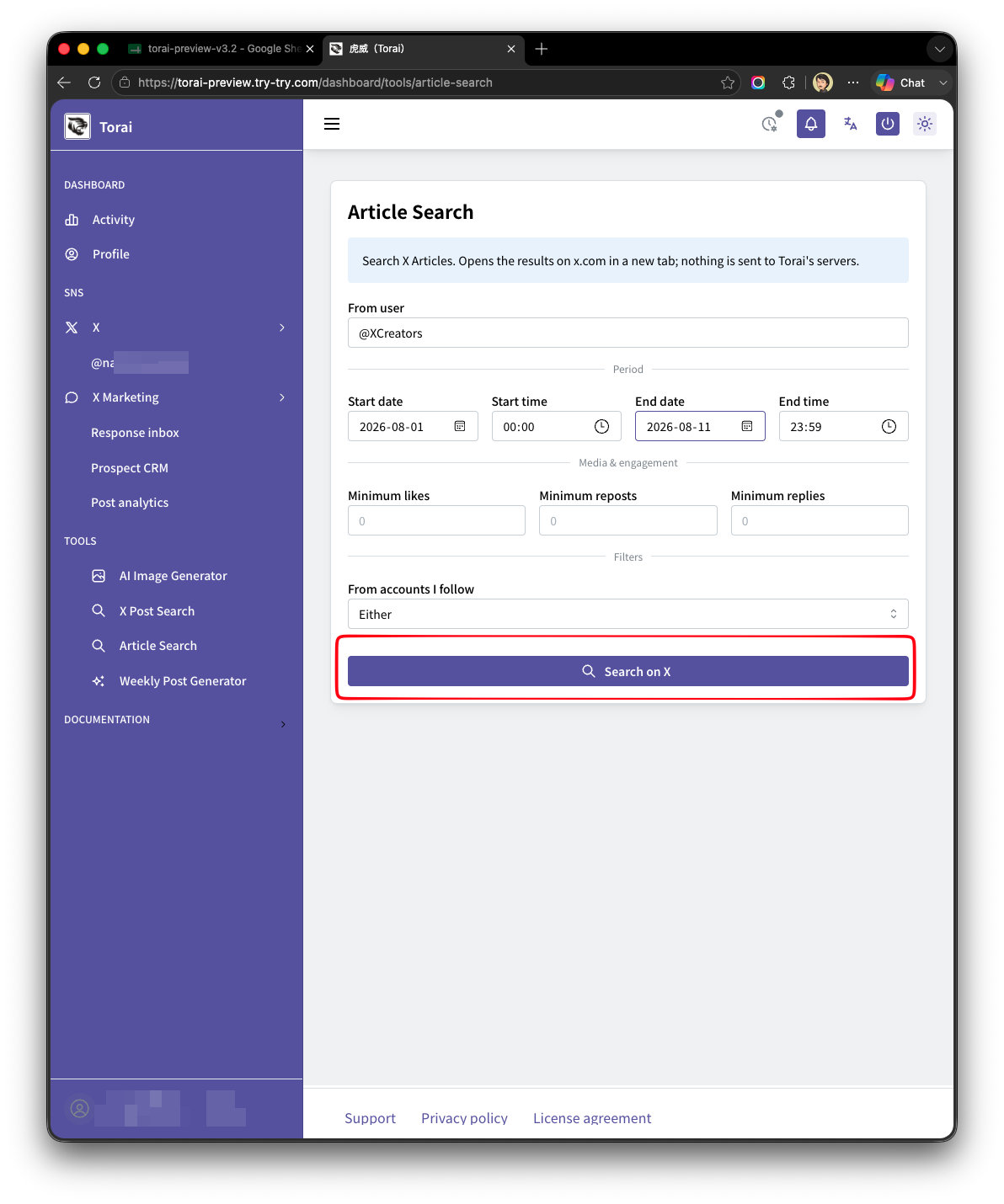
| Field | Description |
|---|---|
| From user | Filter by author using from: |
| Period | Start date/time, end date/time |
| Minimum likes / reposts / replies | Specify a numeric lower bound for each |
| Accounts you follow | Either / Only these / Exclude these |

About input validation
Each field is checked against an expected format (username rules, date format, non-negative integers, and so on). If a value doesn't match, an error is shown and the search does not run.
X's search operators may change or be discontinued without notice due to changes on X's side. If a particular search returns unexpected results — or no results at all — X may have changed how that operator works.