Manage X Accounts
Torai can register and manage multiple X accounts.
Register the four API credentials obtained from the X Developer Console for each account. The same credentials are used for publishing, retrieving your post information and engagement, and collecting responders. Label each set so pay-per-use activity is easy to associate with the correct account.
1. Open X account management
Open X or X Accounts from Torai's left menu.
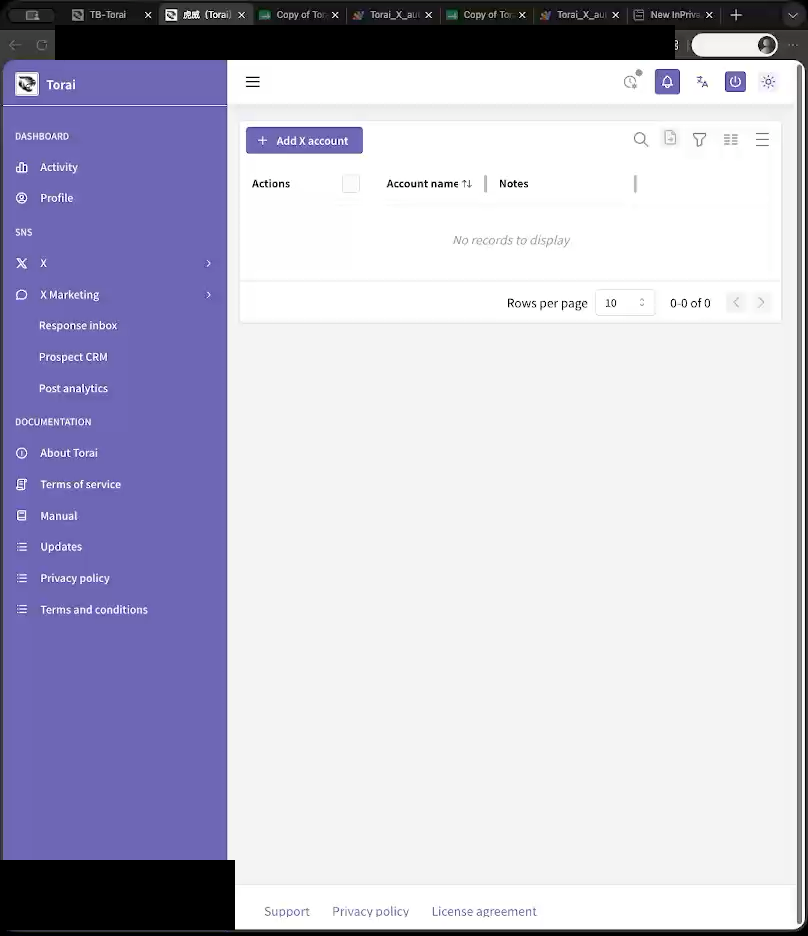
Registered X accounts appear in the list.
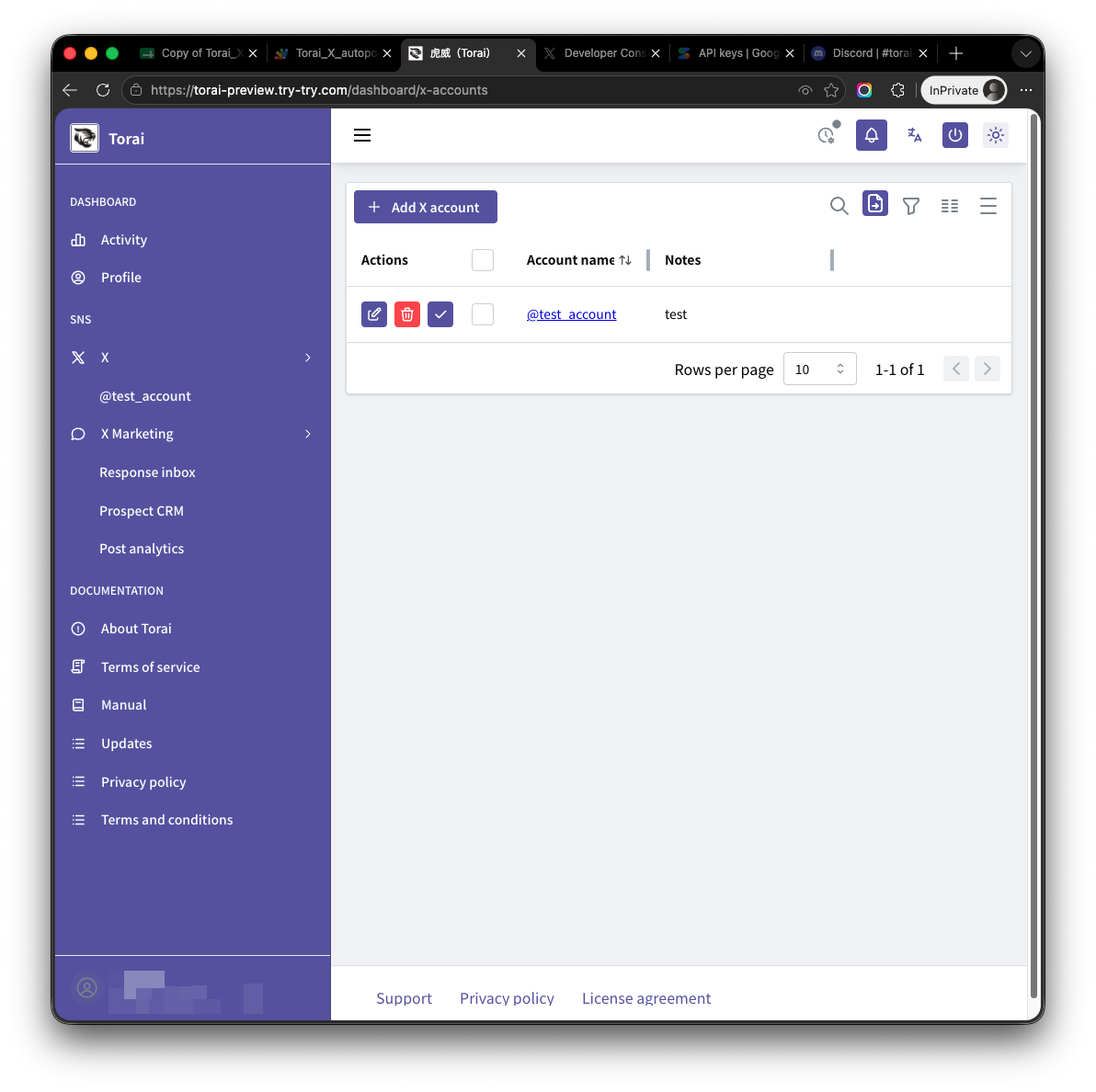
2. Add an X account
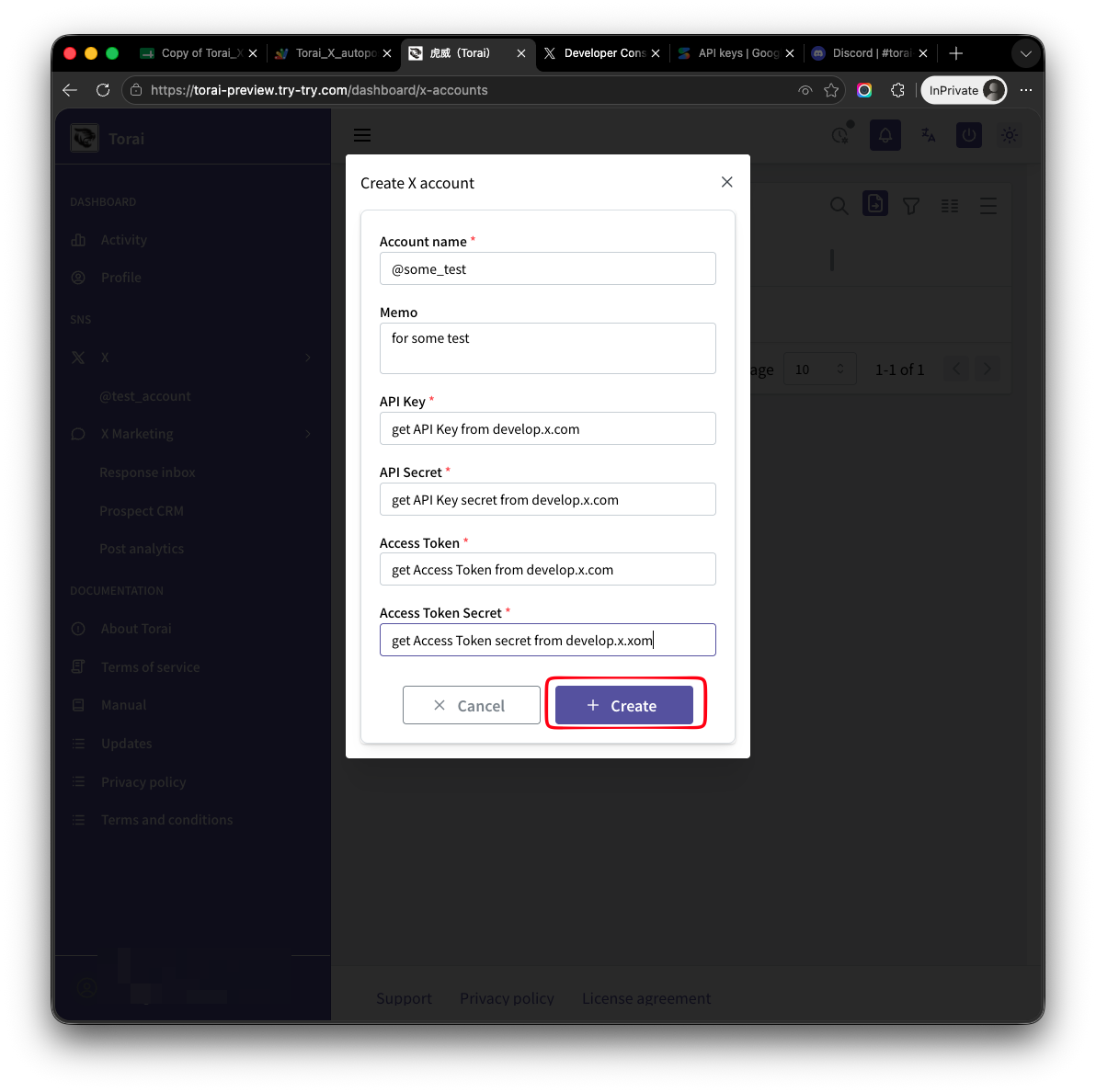
Click Add New Account.
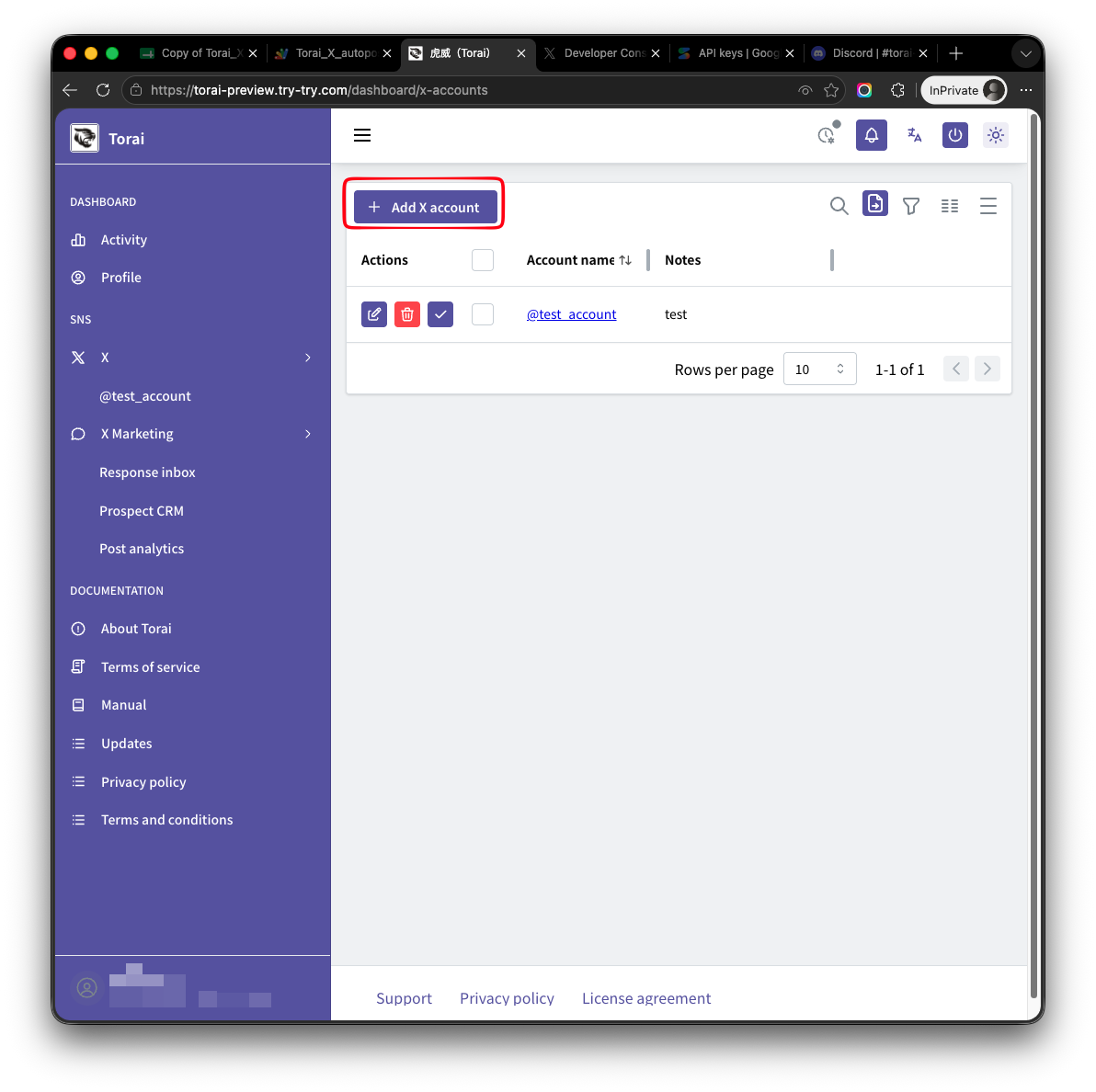
Enter an account name or display name. Including the X username or intended use makes the account easier to recognize later.
Examples:
@example_mainProduct promotion accountCampaign announcements
3. Enter the four API credentials
Enter the following values from the X Developer Console:
- API Key
- API Key Secret
- Access Token
- Access Token Secret
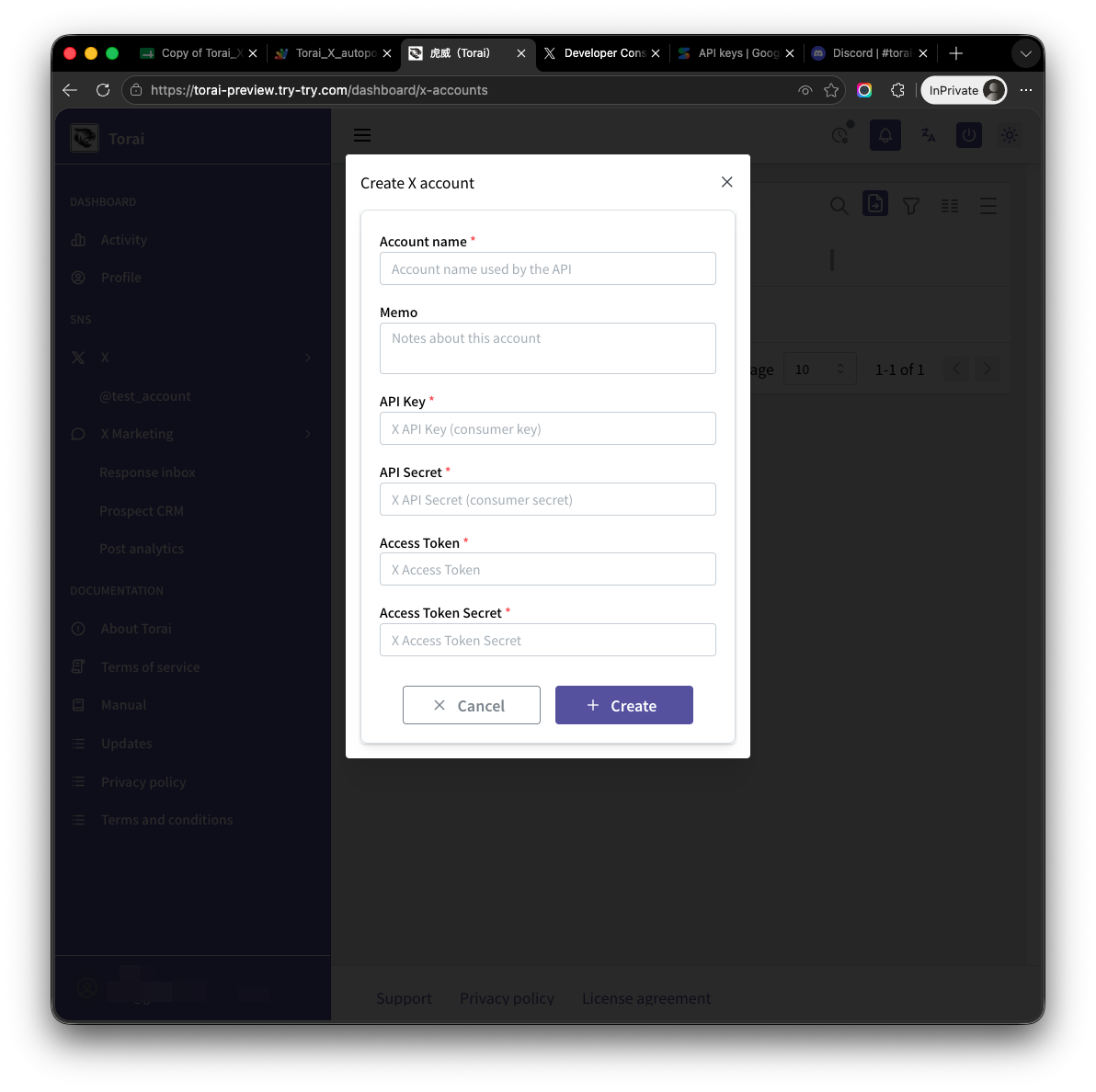
Do not show your API Key or Access Token to anyone. Always hide the credential fields before sharing a screenshot.
4. Save the account
Review the information and click Create.
After saving, return to the account list and confirm that the new account appears.
5. Create a test post
For a newly registered account, create a short test post and confirm that it publishes correctly.
If it does not publish, check that:
- App permissions are Read and write or higher
- You regenerated the Access Token and Access Token Secret after changing permissions
- All four credentials were copied correctly
- There are no issues with credit or Usage in the X Developer Console
If you use X Marketing, then open X Marketing > Collection Settings, turn on the features you need, and test Refresh Now after the publishing test.
6. Edit a registered account
If you regenerated API credentials or want to change the account name, open the account from the list.
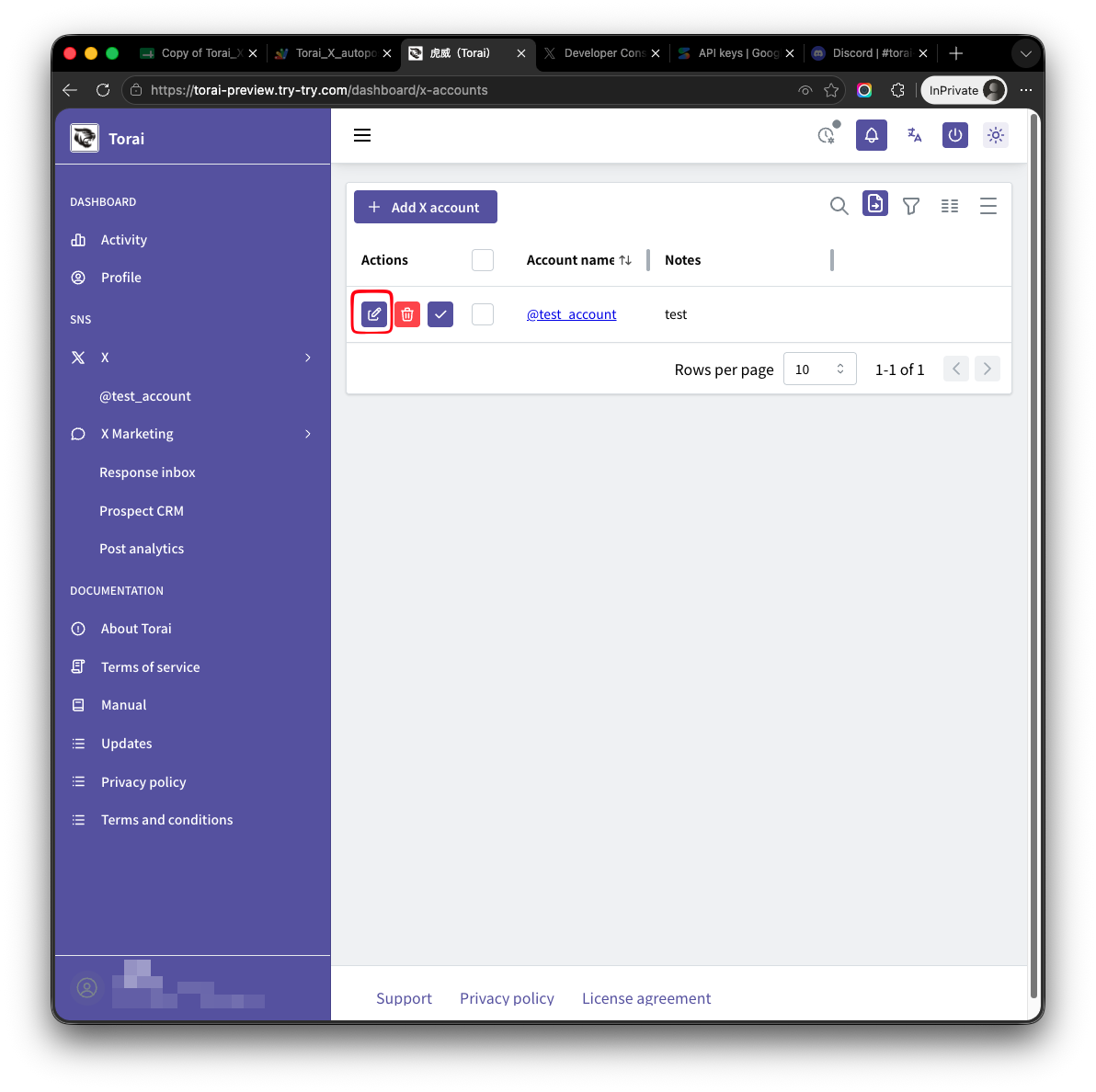
Only the memo can normally be edited.
The four API credentials are encrypted and stored by Apps Script in your Google Sheet. Only the Apps Script code can read them, so they do not appear on the edit page.
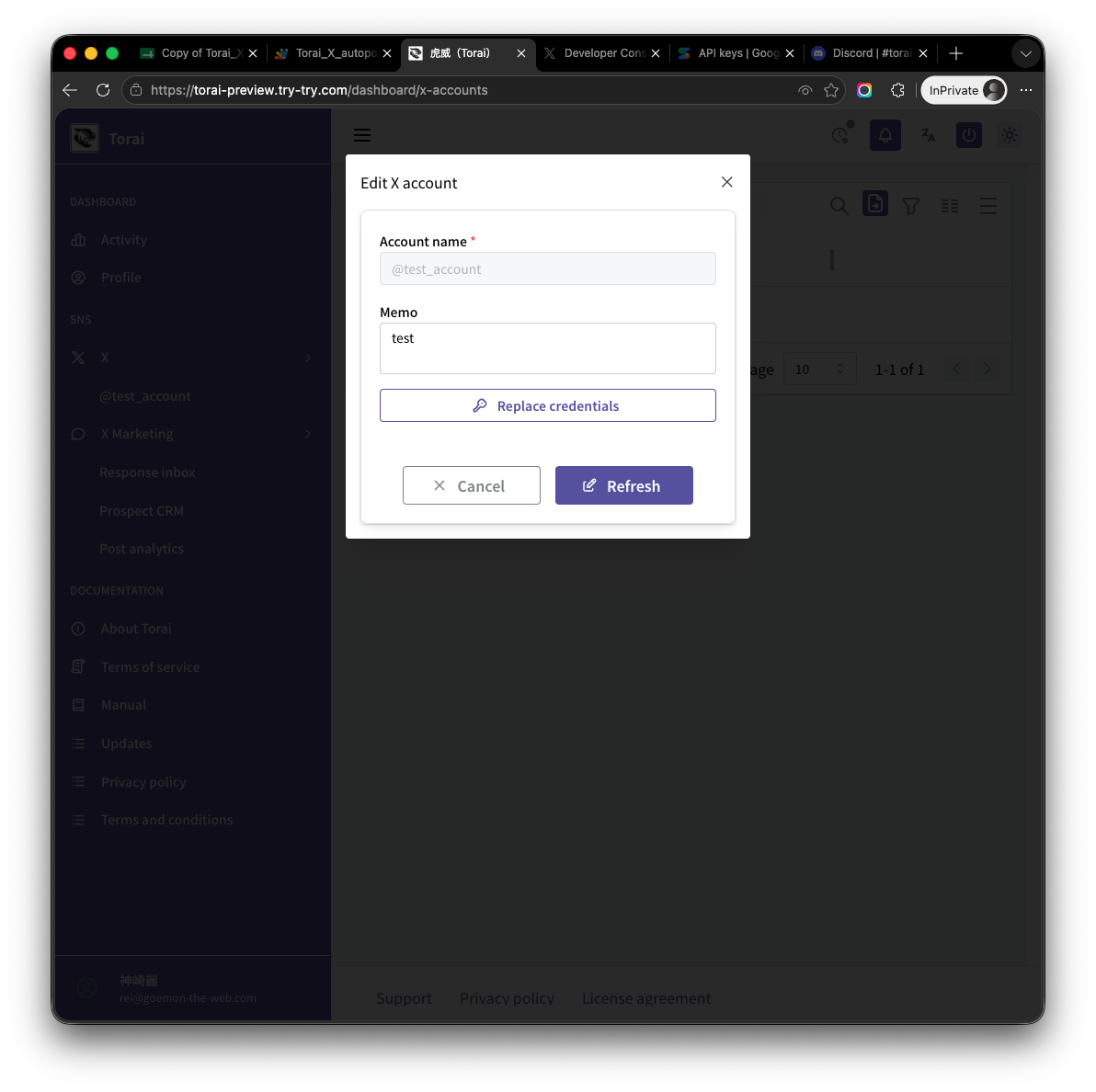
If the four credentials must be changed, they can only be overwritten. Create new credentials on the X developer site, then click Reset credentials to enter them.
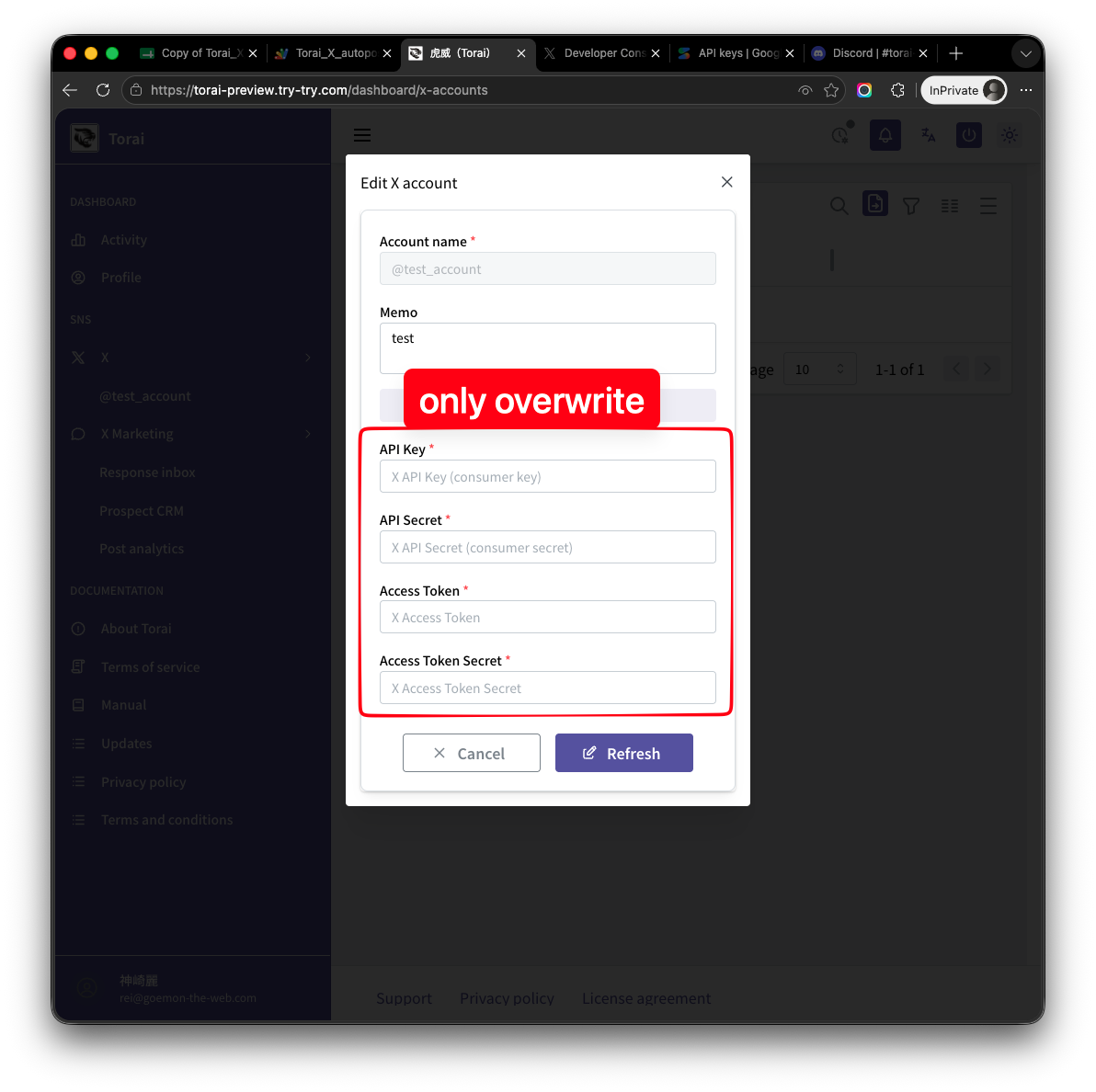
Regenerating an API Key or Access Token in the X Developer Console invalidates the old credential. Always register the new credential in Torai as well.
7. Remove an account
You can remove an X account you no longer use from its detail page.
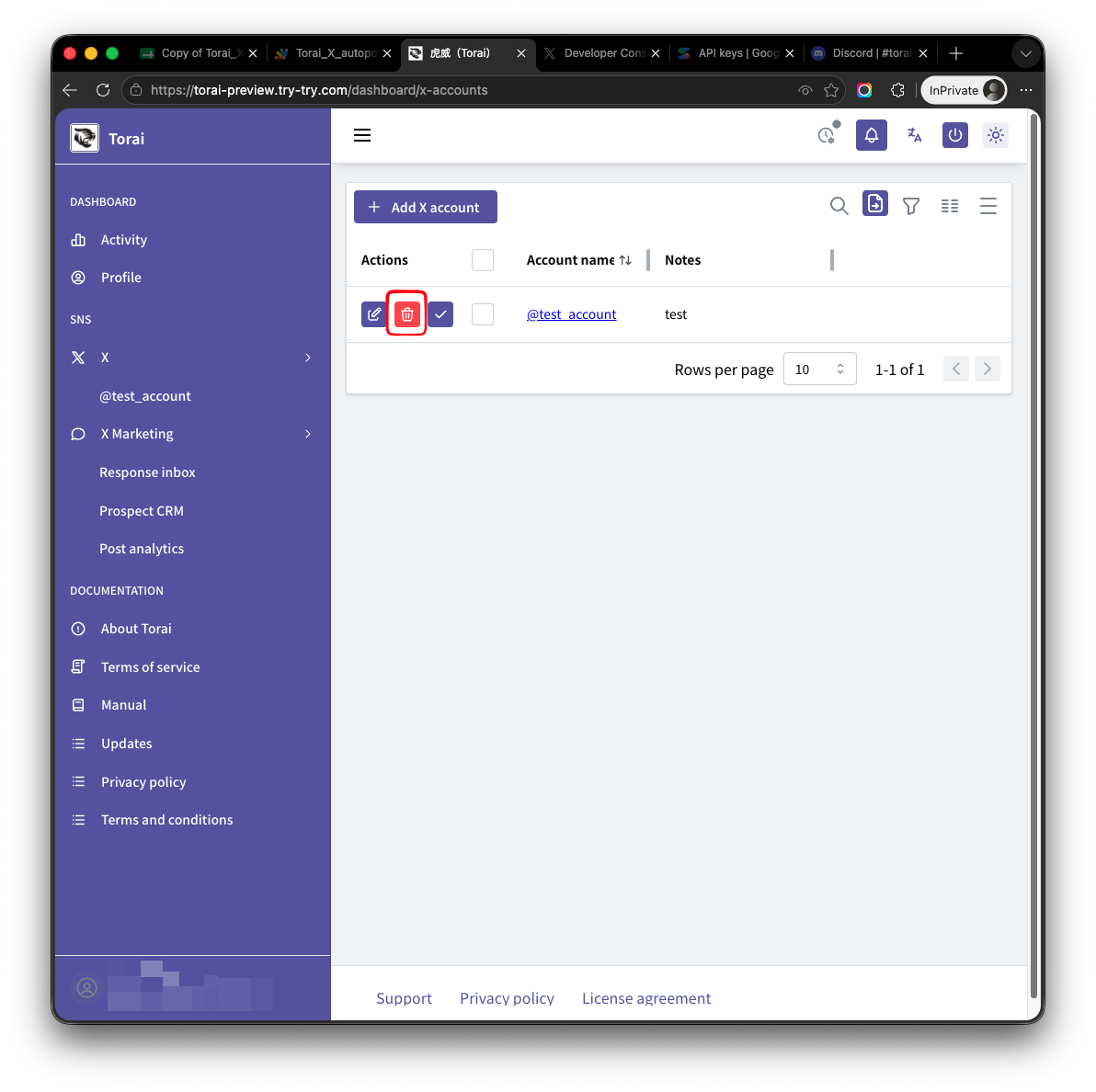
A confirmation dialog appears.
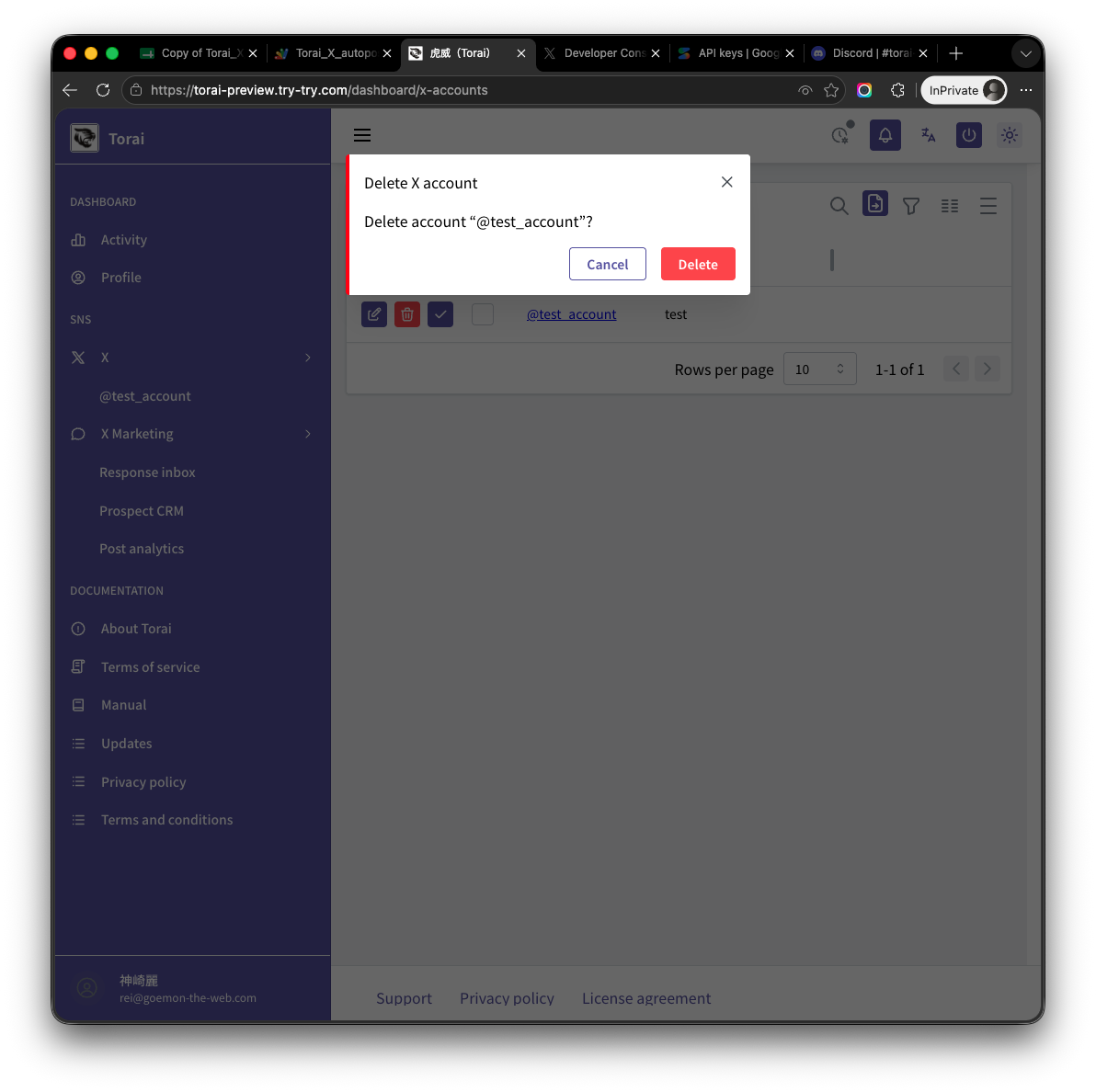
Removing an account may affect its scheduled and historical post data. Review and back up any data you need before removing it.
Managing multiple accounts
- Obtain a separate set of API credentials for each X account.
- Do not reuse the same credentials across accounts.
- Check X Developer Console Usage regularly.
- A thread uses multiple posting operations and increases API usage.
- Before publishing in large volumes, review the post count and expected charges.
- X Marketing shows estimated read costs by account and for all accounts combined.