Automated Posting
After creating posts and setting their publication times, start the trigger from the Activity page.
Automated posting uses a time-driven Google Apps Script trigger. Even when your computer is off, Apps Script starts on Google's servers and publishes posts whose scheduled times have passed.
1. Before you start
Confirm that:
- Google Apps Script identity verification is complete
- All four API credentials are registered for the X account
- Scheduled publication times are correct
- The number of posts is what you intended
- X Developer Console Usage and credit balance have no issues
2. Open Trigger Management
From Torai's menu, open Activity > Trigger Management.
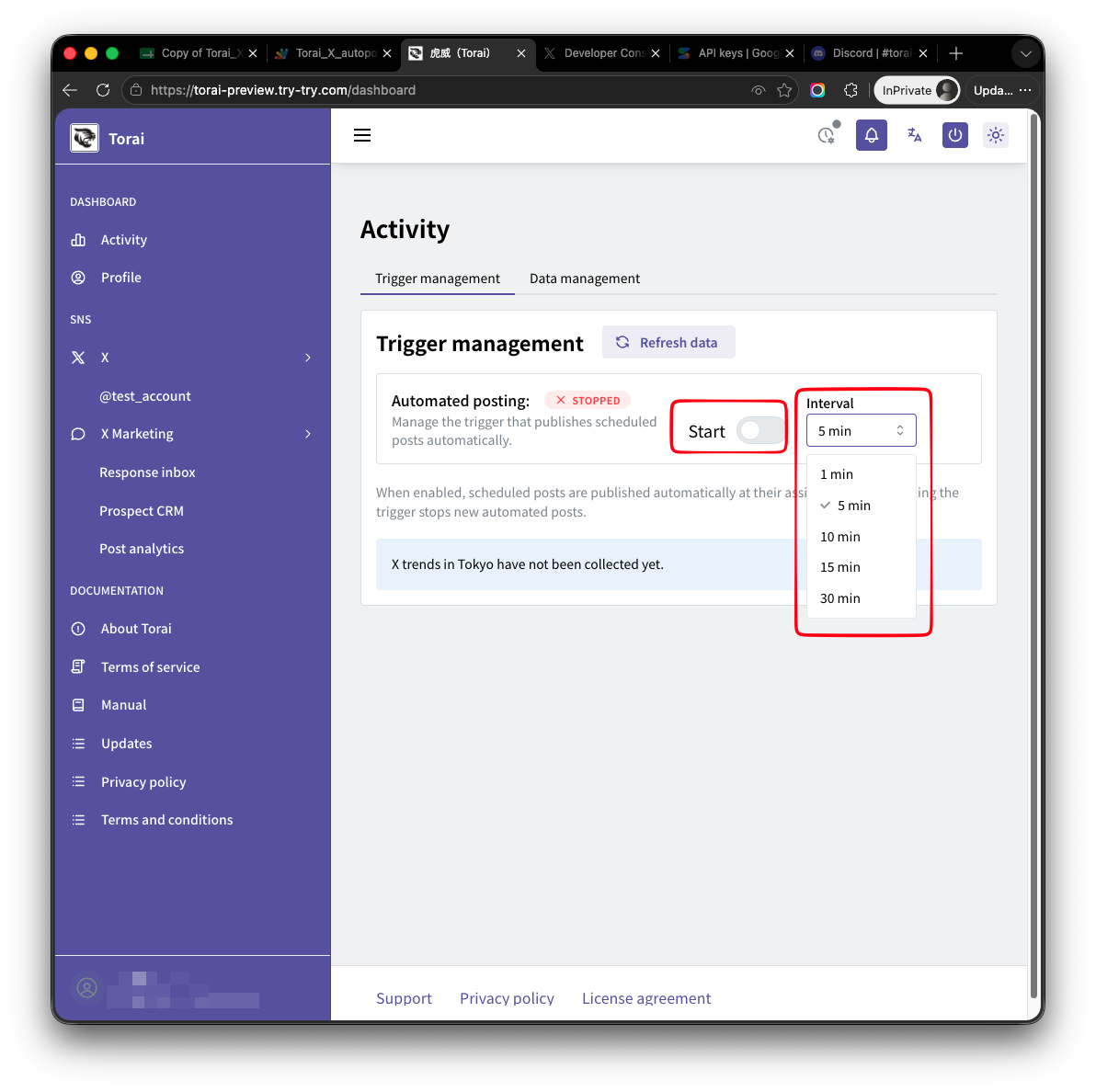
Use this page to start, stop, and check Google Apps Script triggers.
3. Choose a trigger interval
Select a trigger interval, such as:
- 1 minute
- 5 minutes
- 10 minutes
- 15 minutes
- 30 minutes
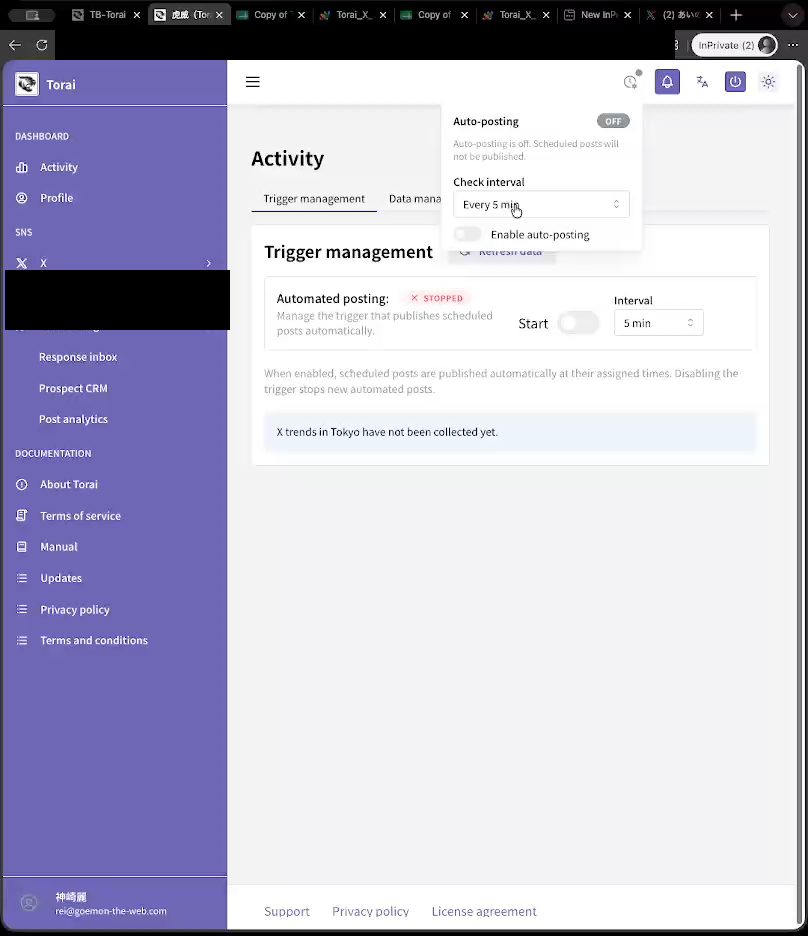
Shorter intervals make posts more likely to appear close to their scheduled times, but Apps Script also runs more often.
4. Start automated posting
Turn on the Start switch.
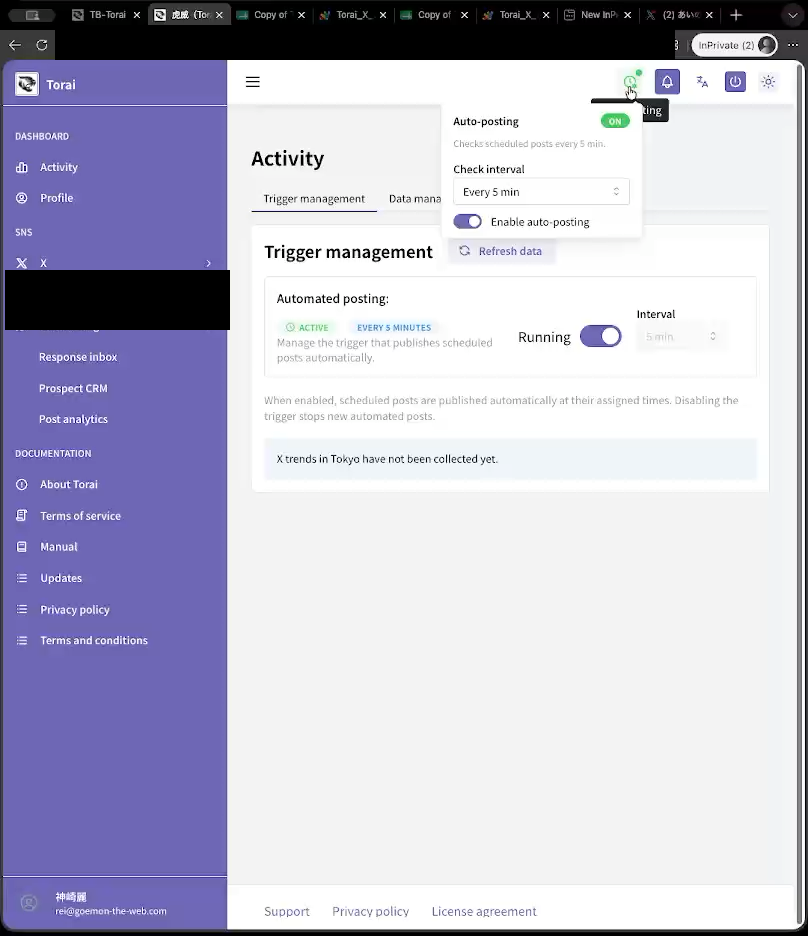
Confirm that the status changes to Running.
5. Check the result
After the scheduled time has passed, check Torai's post list, published-post list, or X.
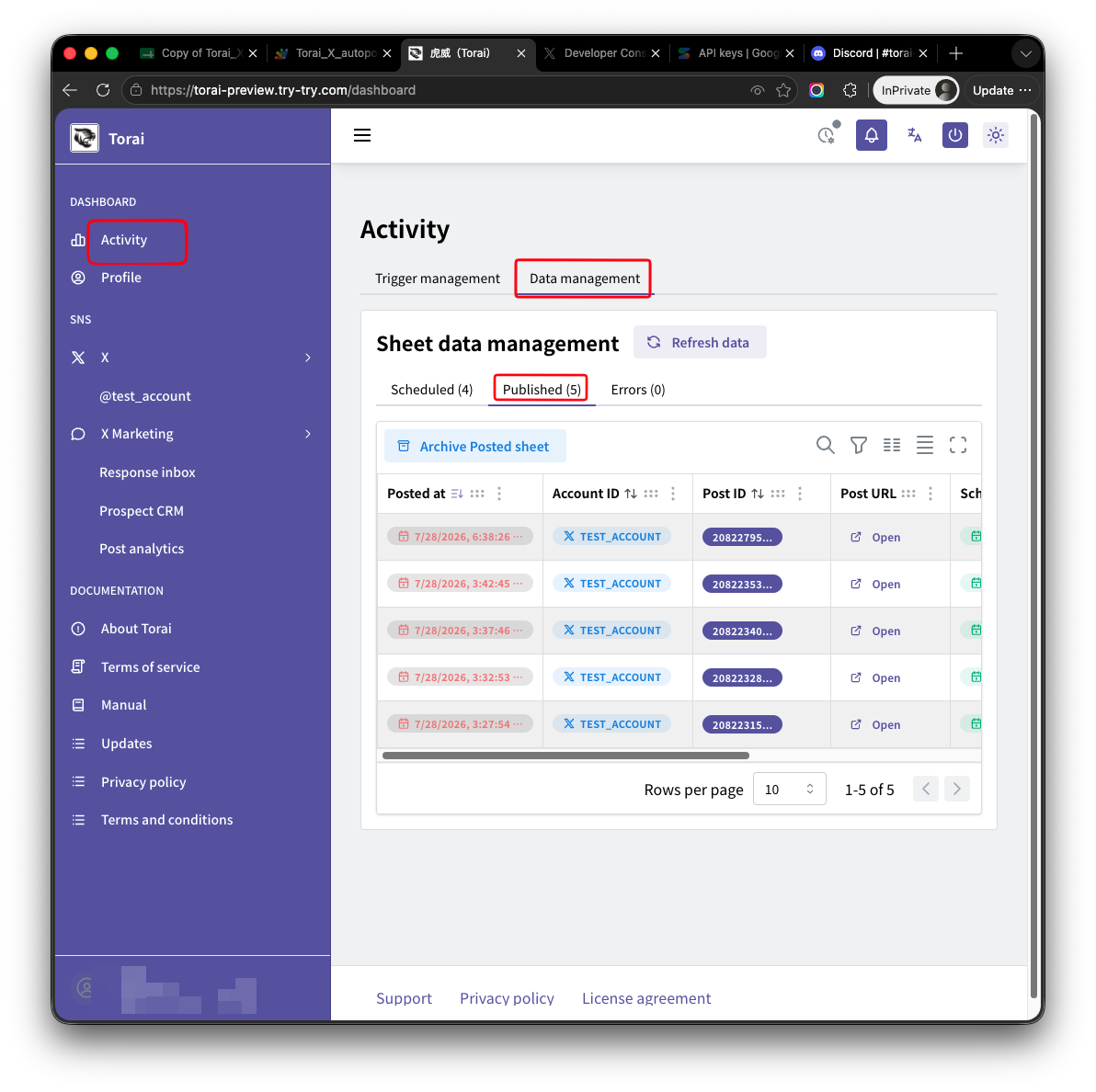
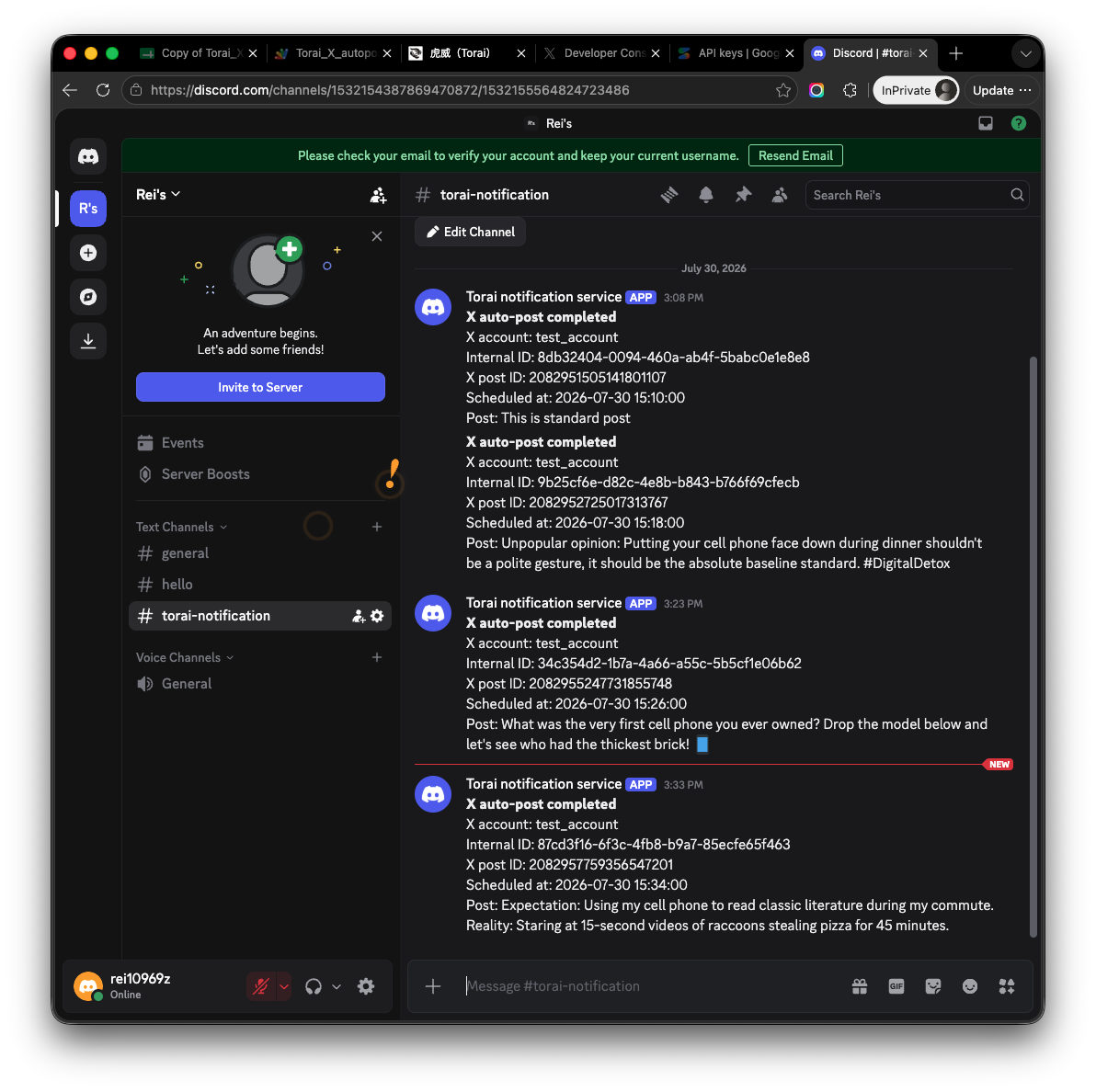
If you configured Discord notifications, you receive a success or error message.
6. Check errors
If publishing fails, check the error list or logs.
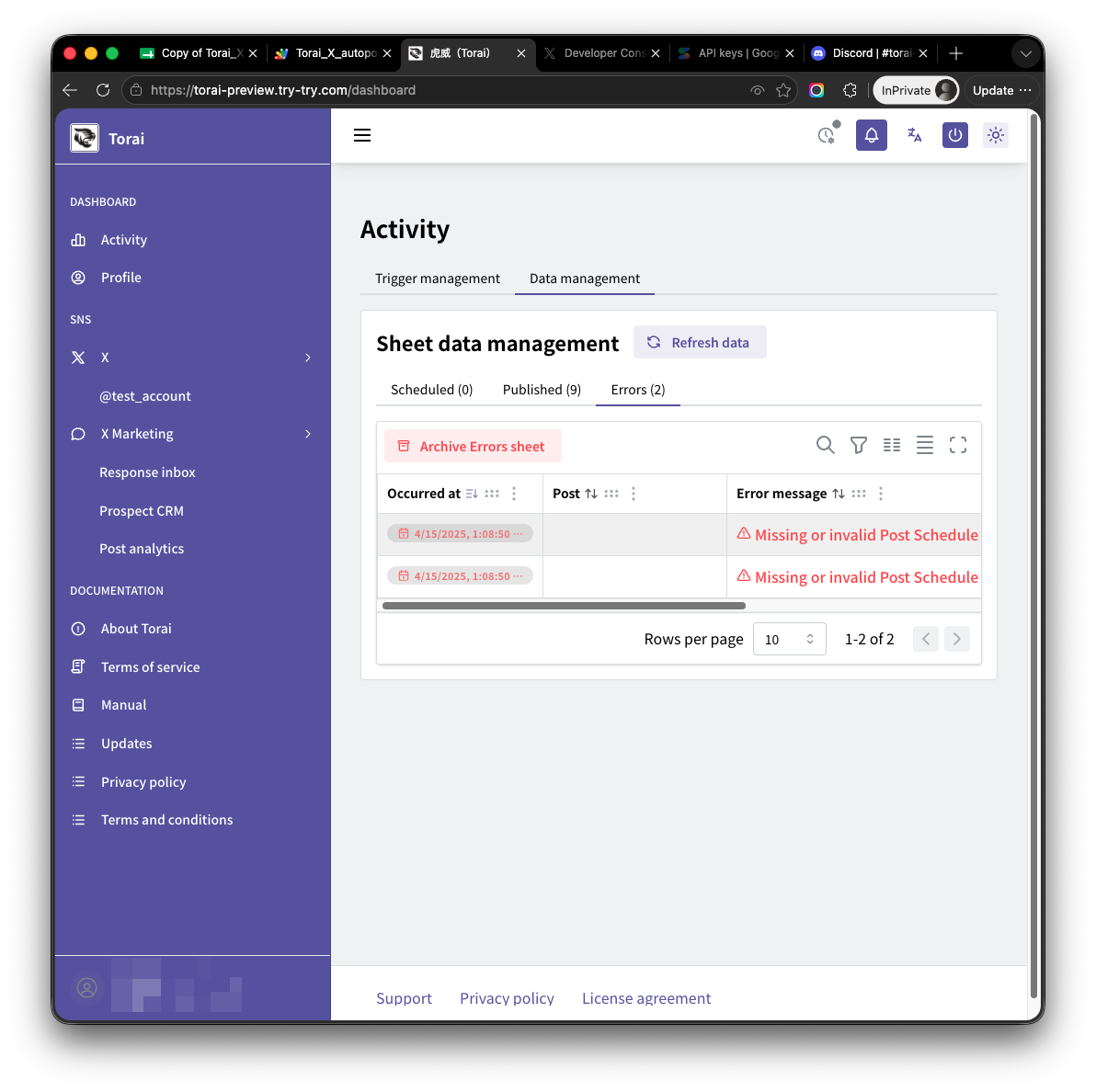
Common causes include:
- Incorrect X API credentials
- X Developer Console permissions still set to Read only
- Access Token not regenerated after a permission change
- Insufficient X API credit
- Google Apps Script execution limits
- Image or video file too large
7. Stop automated posting
To stop, click the Running switch on the Trigger Management page.
Confirm that the page shows Automated posting: Stopped.
Important notes
- Adding many posts while automated posting is running can cause API usage to rise sharply.
- A thread performs one posting operation for each post in the thread.
- Pay-per-use X API charges are billed separately by X.
- Apps Script execution limits may prevent a large number of posts from being processed at once.