Manage Your Subscription
Torai is provided as a subscription service.
The non-Japanese interface offers a monthly credit-card subscription in USD. Japan-only bank-transfer options are not displayed.
You can cancel at any time after your subscription starts. You can continue using Torai until the end of the paid term, but payments are non-refundable.
Check your plan
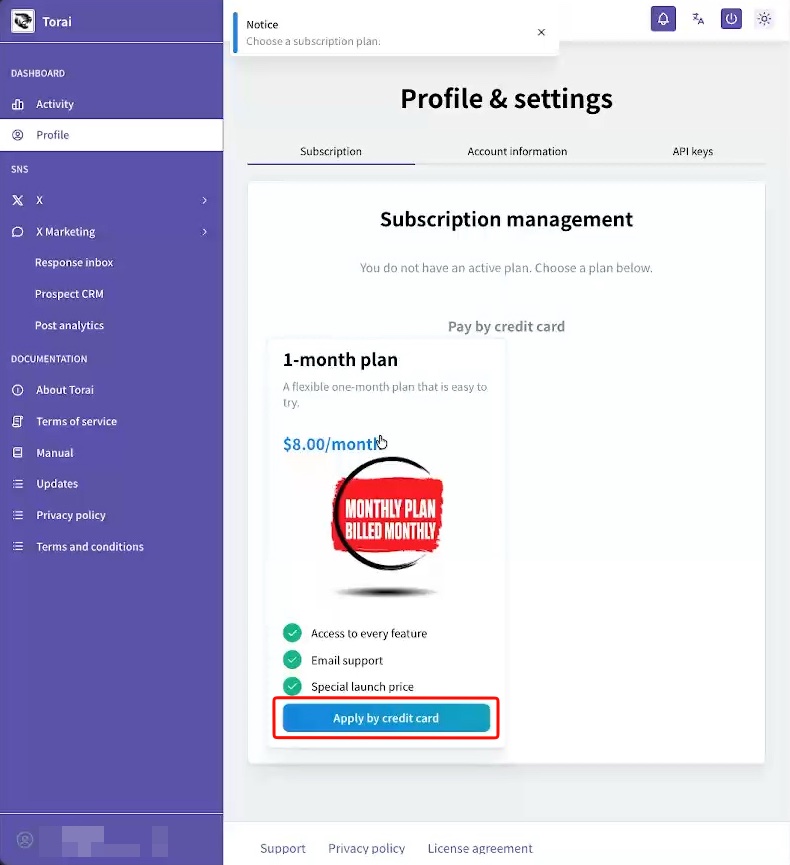
If you do not have a subscription, Torai automatically takes you to the Subscription page.
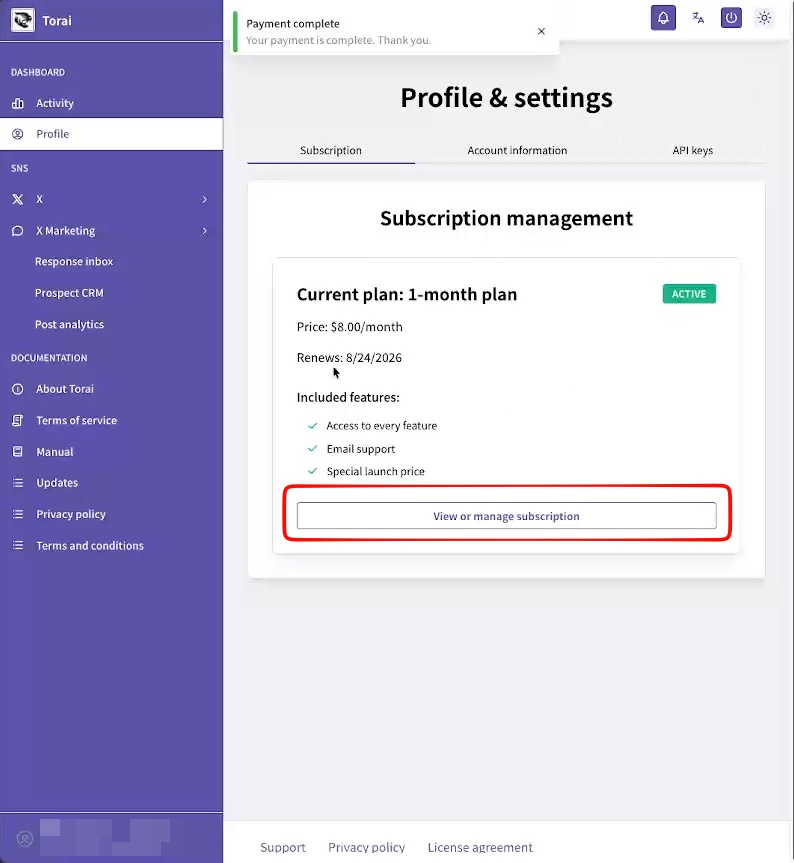
If you have a subscription, open Profile > Subscription to review it.
You can check:
- Your payment method
- Your next renewal date
Credit card
Credit-card subscriptions are processed by Stripe.
Your credit-card information is exchanged directly with Stripe. We receive only the details of your subscription.
To cancel, click the subscription management button on the Subscription page. This opens Stripe's page.
How to cancel
You can cancel at any time. You will not be charged on the next renewal date.
You can continue using Torai until that date. Payments are non-refundable.
Credit card
Open Profile > Subscription, then click Manage or review subscription.
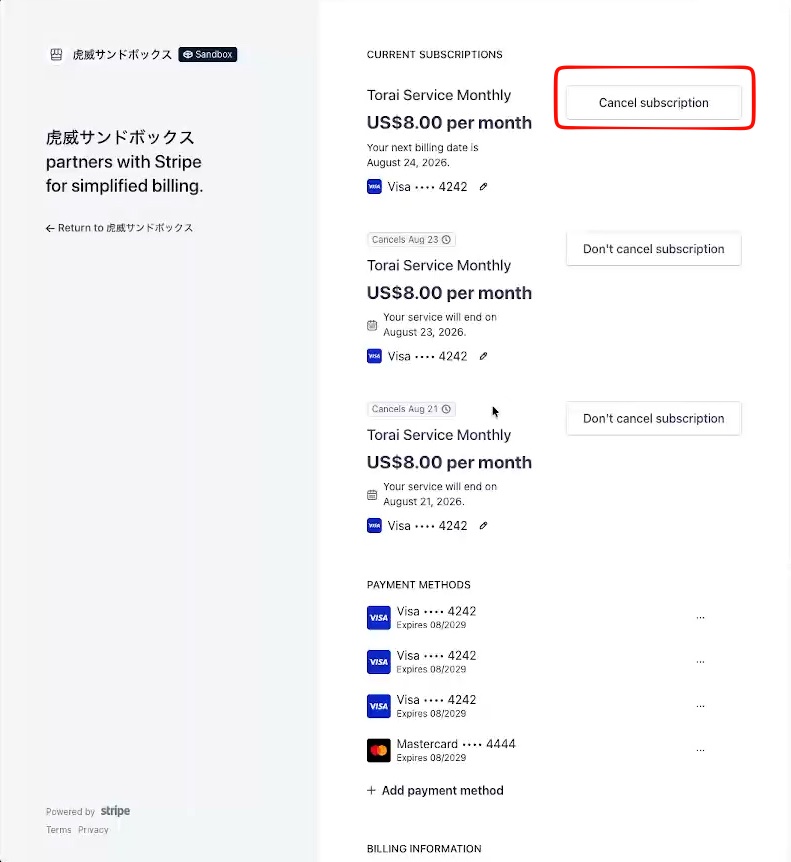
Your personal Stripe page opens. Click Cancel subscription.
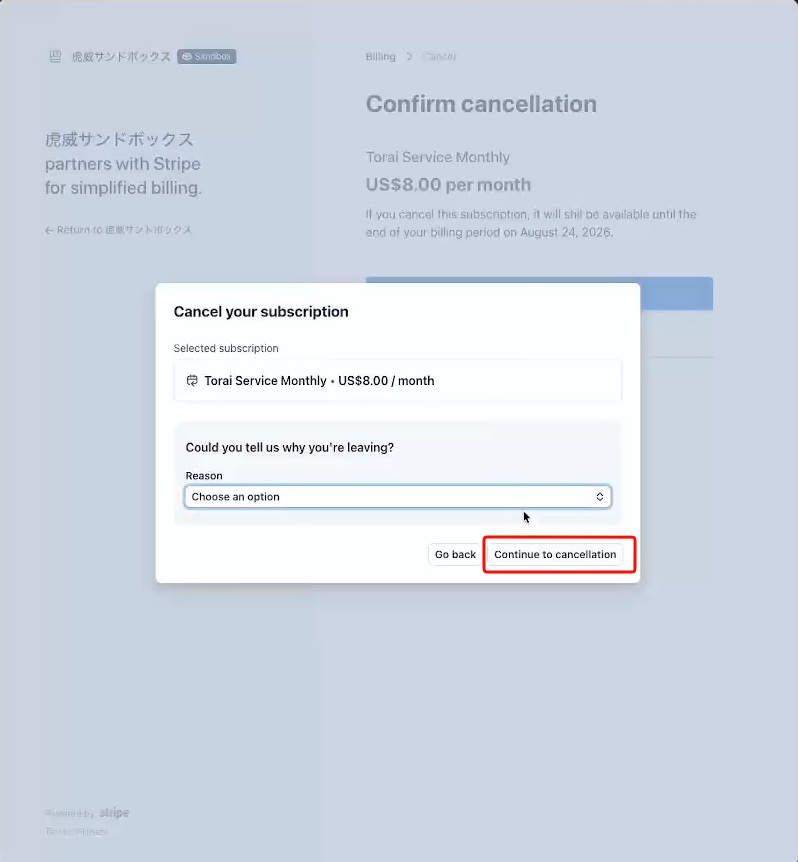
Stripe asks for a reason. Click Continue to cancellation.
Click Cancel subscription.
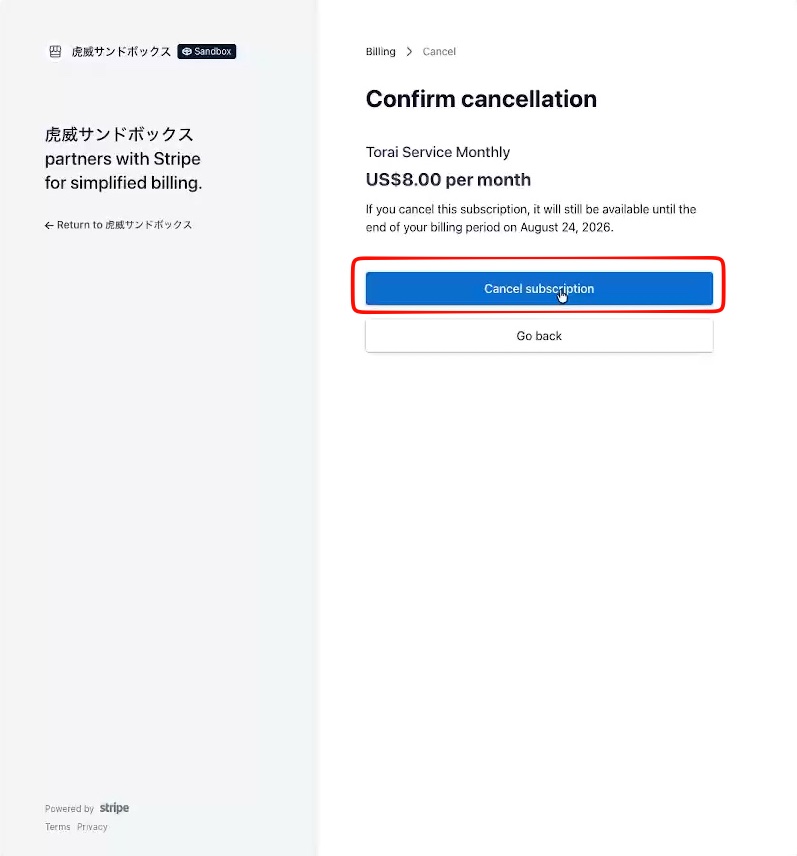
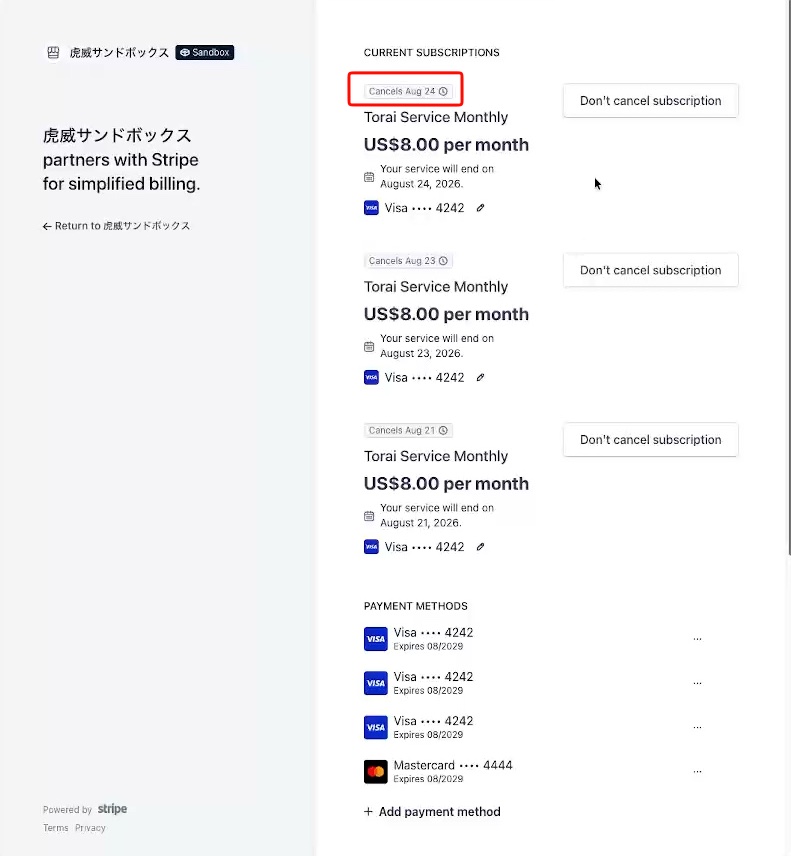
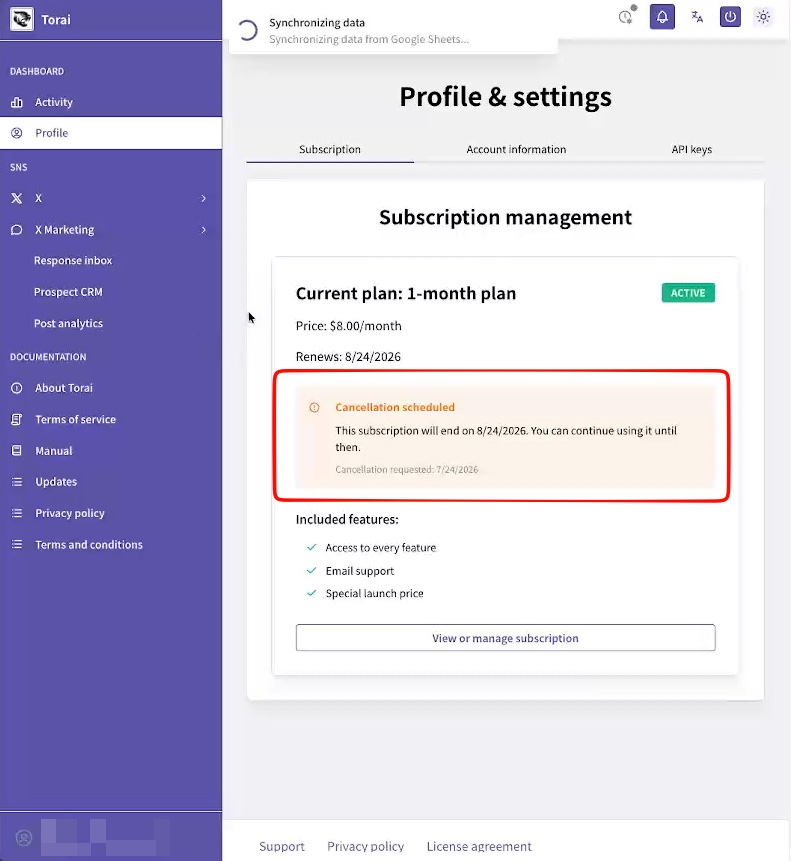
Confirm that the plan is cancelled. You will not be charged at the next renewal.
Using Torai after your subscription ends
You can restart at any time unless you delete your account from Profile > Account Information.
Receipts and billing history
Review your receipts and billing history on your Stripe customer page.
Important note
Pay-per-use X API charges are billed separately by X and are not included in your Torai subscription.