About the Subscription
Torai is a subscription service so that we can continue providing it reliably.
Membership fees may increase as hardware and maintenance costs rise. In principle, however, we aim to let existing members renew at the rate that applied when they joined.
Subscription prices
Credit card
| Term | Price |
|---|---|
| Monthly | 8 USD |
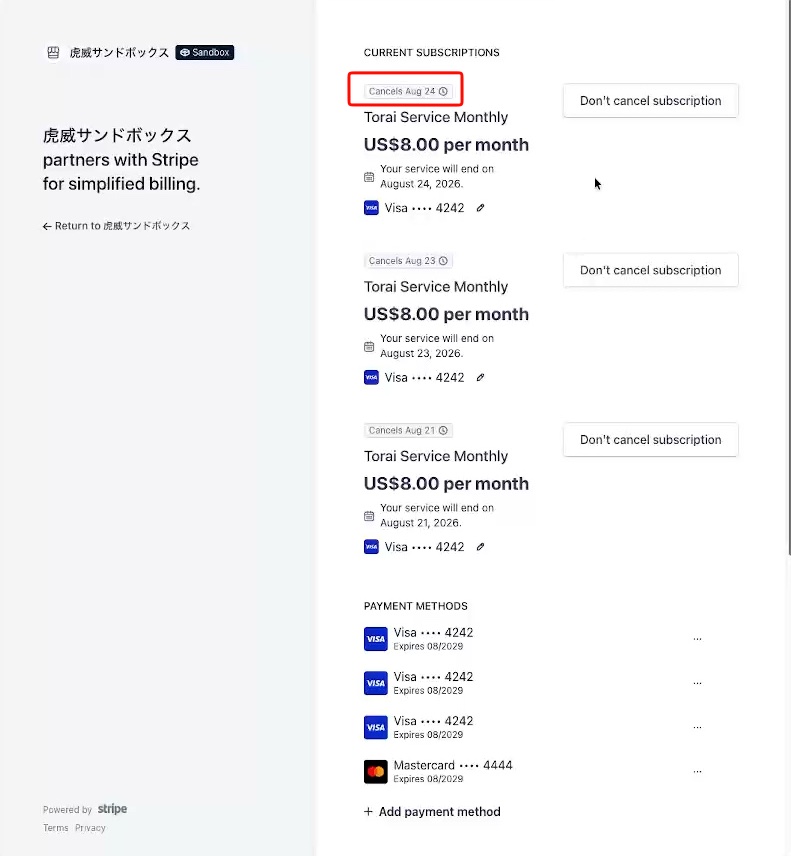
Since we use Stripe, we never receive your card information. You can also easily cancel your subscription through Stripe.
How to subscribe
Open Torai.
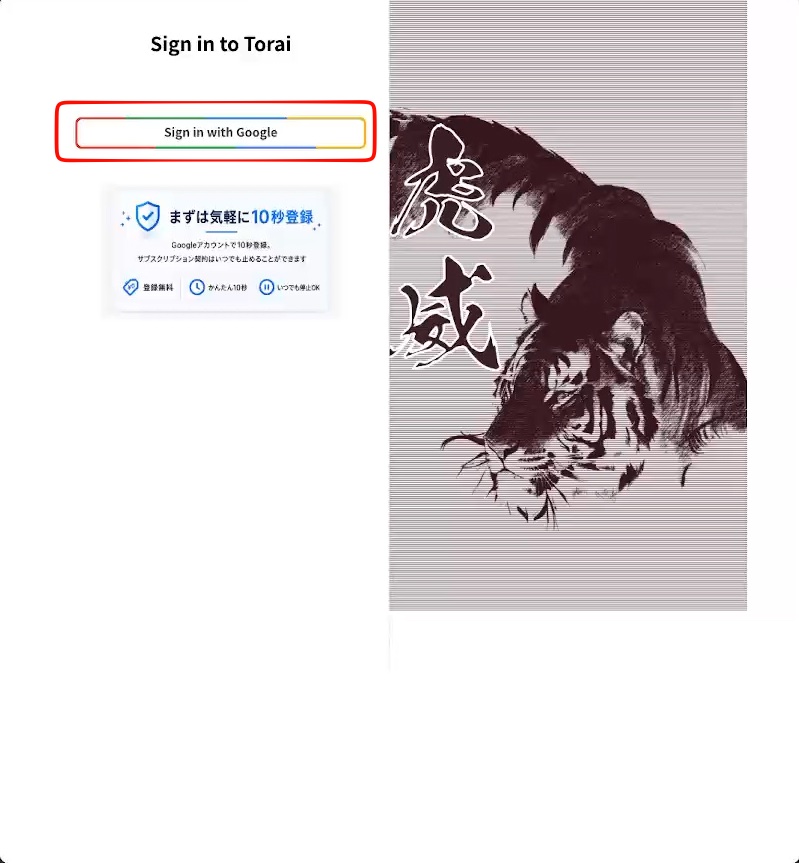
Sign in with your Google Account.
Torai runs within your Google account:
- Data is stored in your Google Sheets.
- Programs run through Apps Script linked to your Google Sheets.
- Media files are stored in your Google Drive.
Accept the terms.
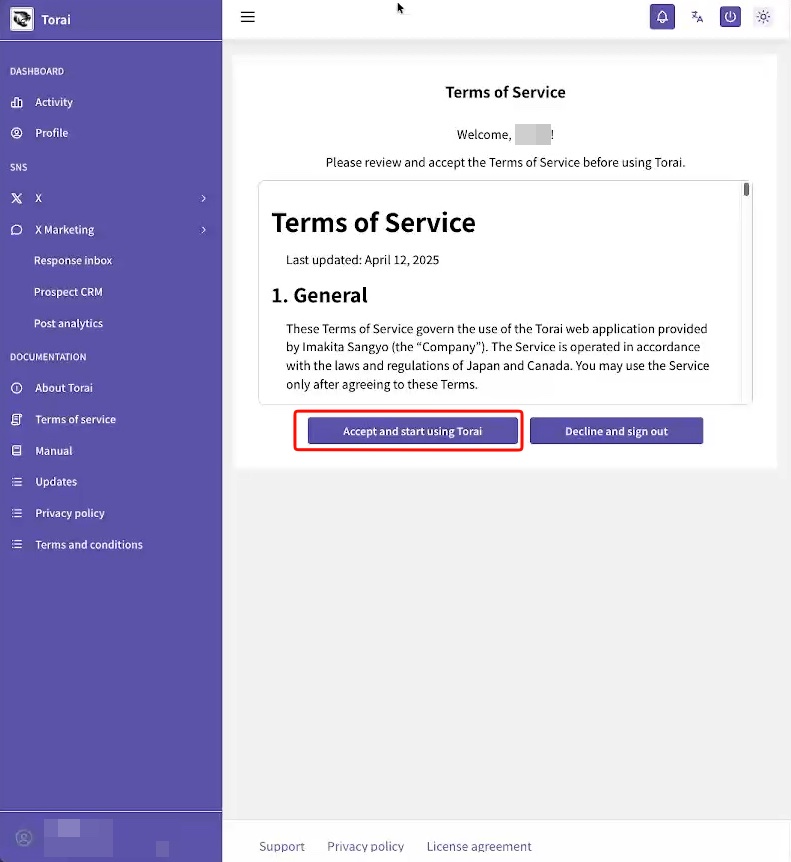
After accepting, the Subscription page opens.
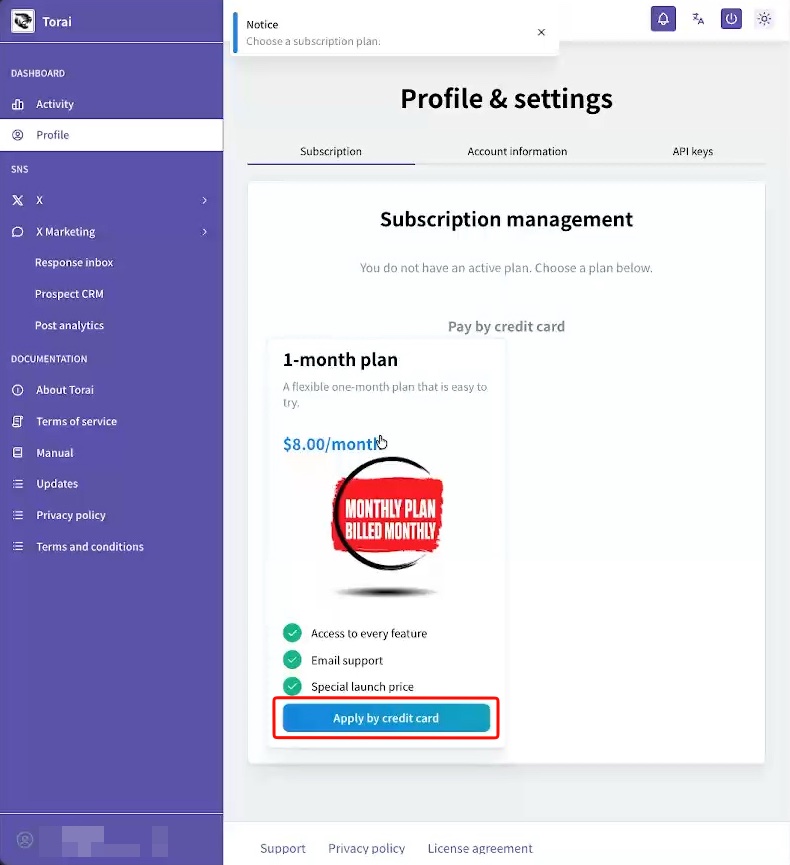
Credit-card subscription
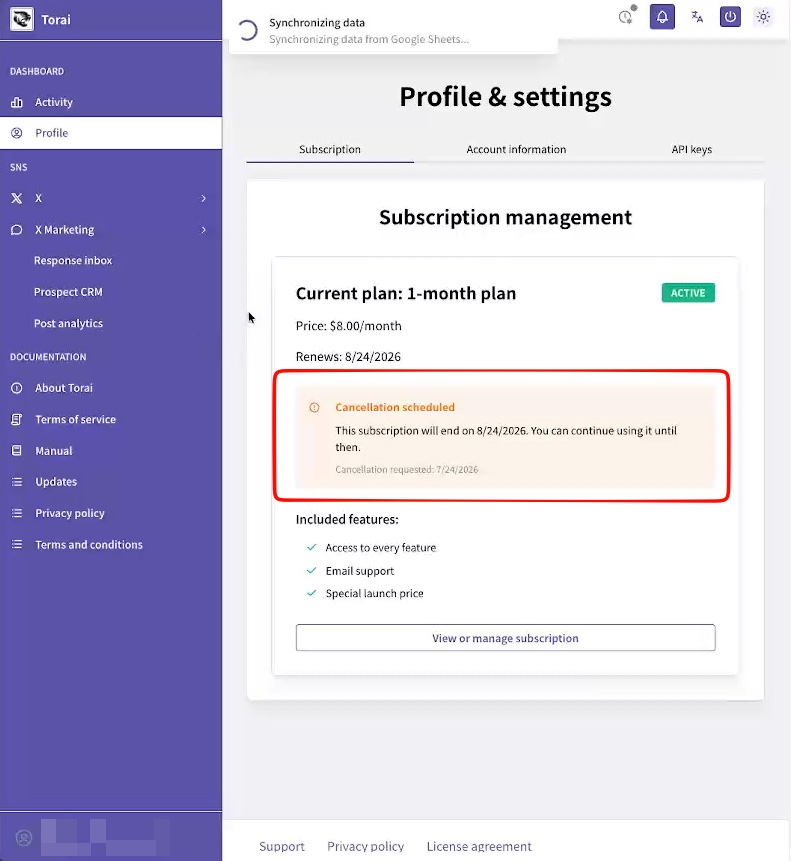
You can cancel at any time. There is no refund, but you can continue using Torai until the end of the current billing period. The next renewal will not be processed.
Click Apply by credit card to open the payment page.
Payments are processed through Stripe, so we never receive your credit-card details.
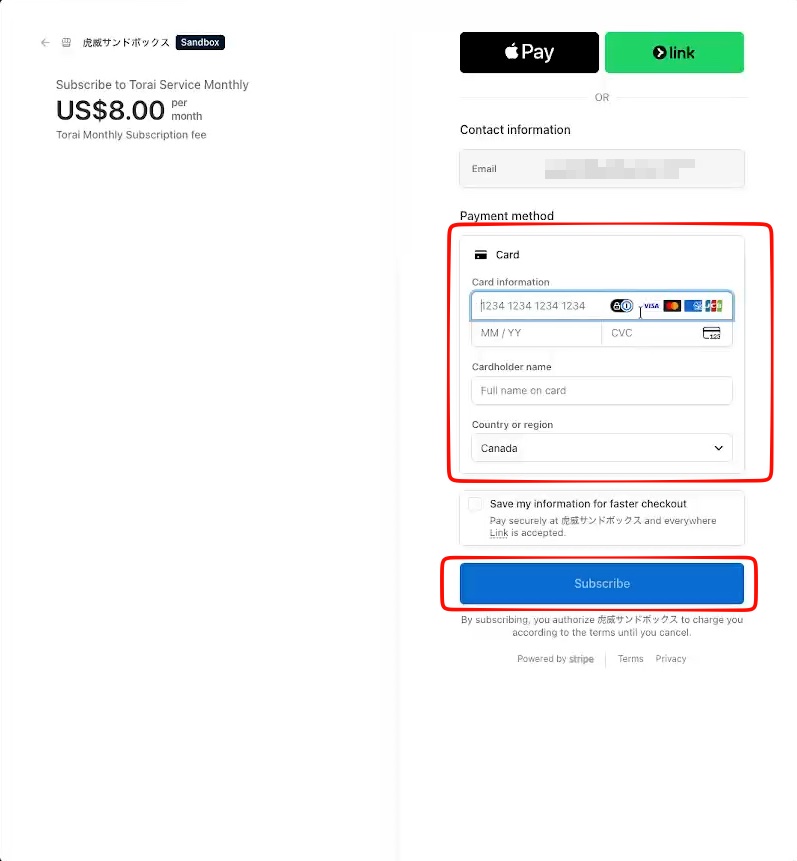
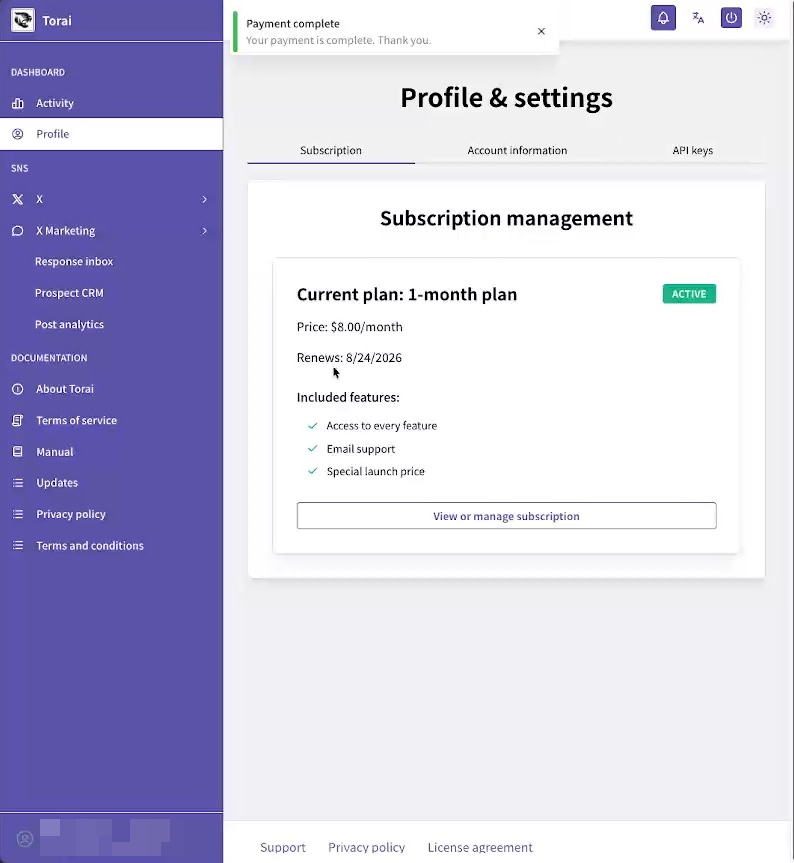
After payment, the subscription completion page appears. Click the button to open your Stripe customer page, where you can also cancel.
How to cancel
You can cancel Torai at any time and continue using it until the end of the paid term.
Unless you delete your account under Profile > Account Information, you can restart at any time.
Credit card
Open Profile > Subscription, then click Manage or review subscription.
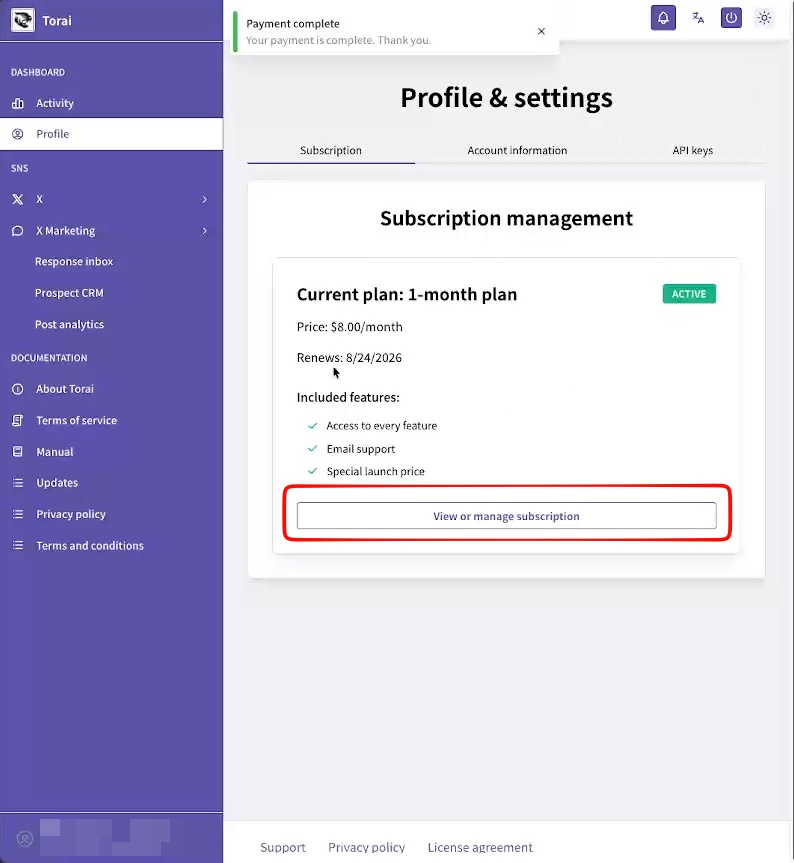
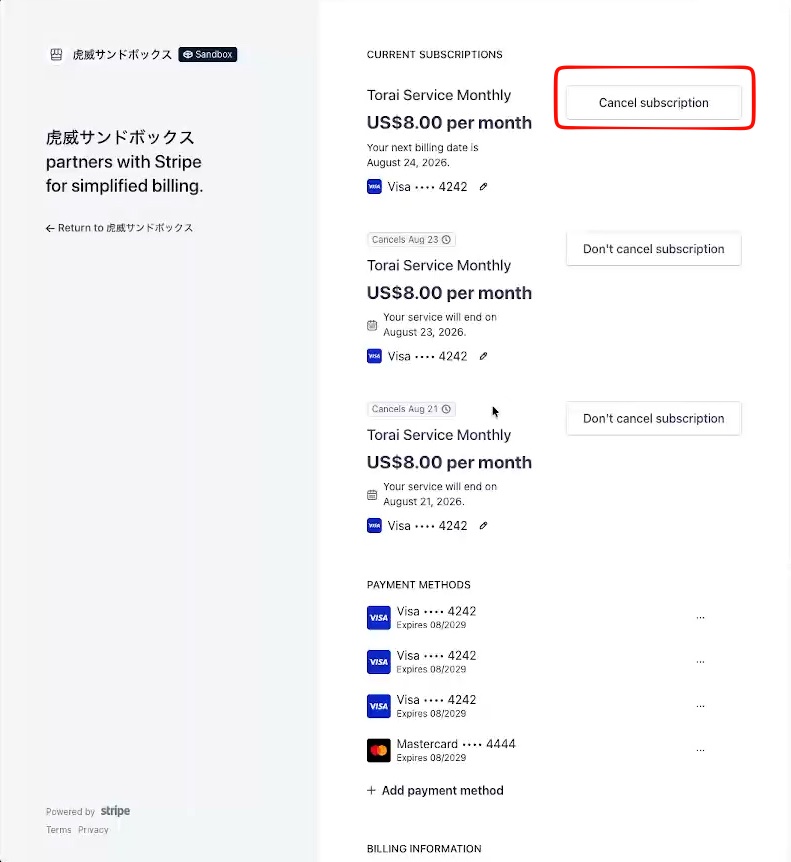
Your personal Stripe page opens. Click Cancel subscription.
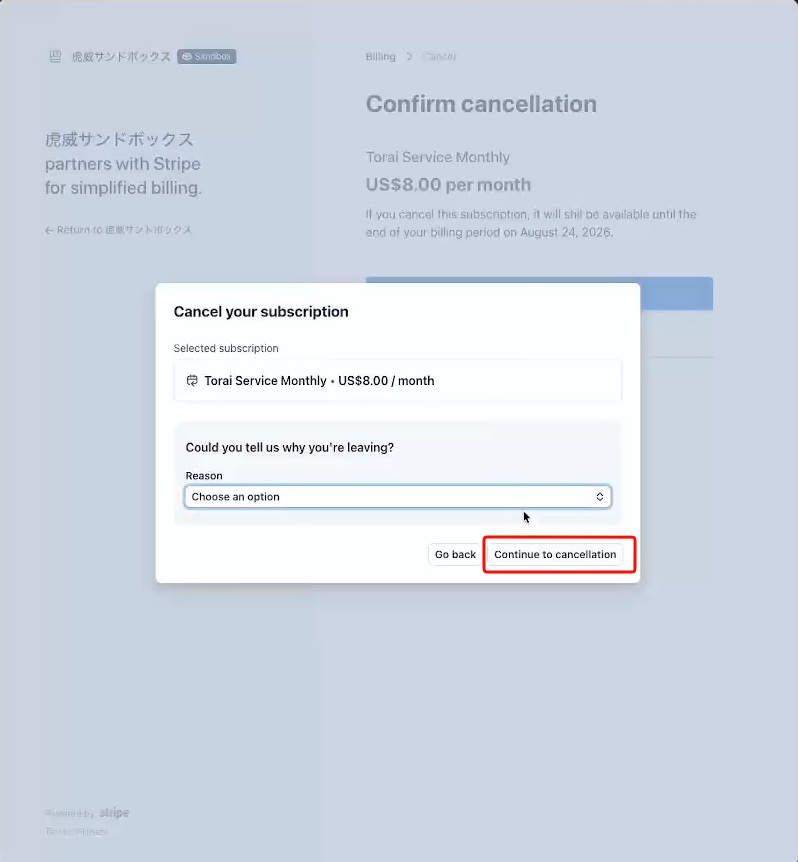
Stripe asks for a reason. Click Continue to cancellation.
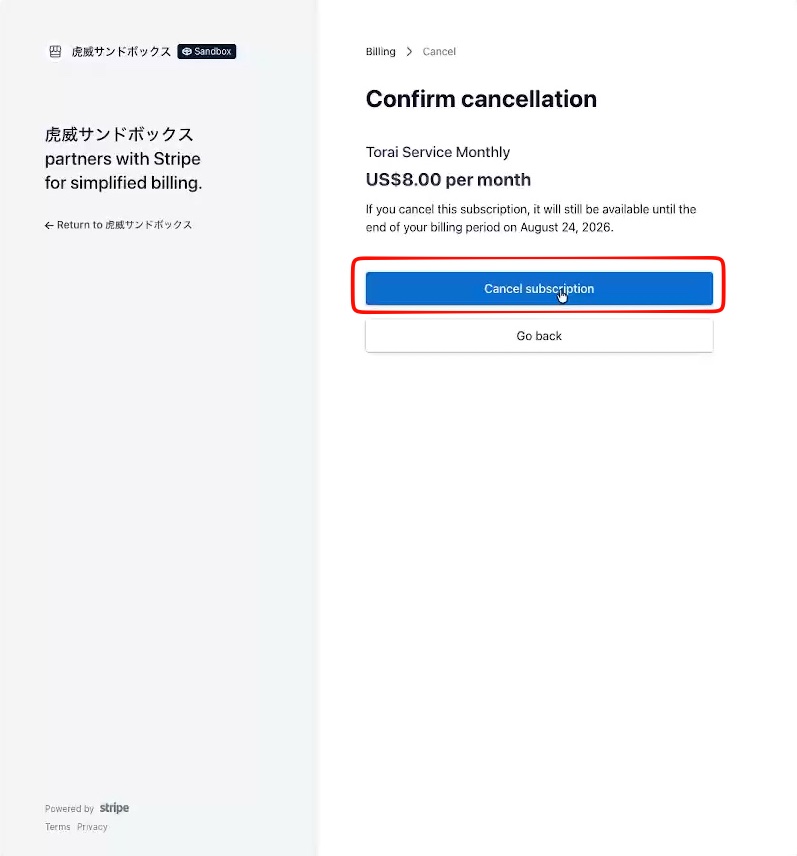
Click Cancel subscription.
Confirm that the plan is cancelled. You will not be charged at the next renewal.