Stored in your Google environment
Post data remains in your Google Sheet, while images and videos are kept in your Google Drive.
 Torai: an X marketing tool
Move beyond publishing and start improving.
Generate drafts with AI, edit them in your own voice, schedule them in bulk, and publish automatically. Torai also collects and organizes post data so you can improve what you publish next.
Account creation is free. Review your offer after your first sign-in.
WHY TORAI?
Torai connects the tools in your own Google environment to make consistent X publishing easier.
Post data remains in your Google Sheet, while images and videos are kept in your Google Drive.
X API pay-per-use pricing lets you begin with a small workflow and monitor usage as you grow.
Review reactions and trends instead of ending the process as soon as a post is published.
HOW IT WORKS
Use the time you save on repetitive work for analysis and improvement.
Choose a theme and prepare several post ideas at once instead of starting each post from a blank page.
Use the AI drafts as a starting point, then refine the language while keeping the message you want to deliver.
Set publication times together and stop opening X manually for every post.
Torai publishes at the scheduled time and can notify you when the operation completes.
DOES THIS SOUND FAMILIAR?
When production consumes all your time, you lose the chance to learn from the response.
Torai connects drafting and scheduling in one workflow, then organizes post data so you can decide what to try next.
Explore what Torai can do →REAL SCREENS
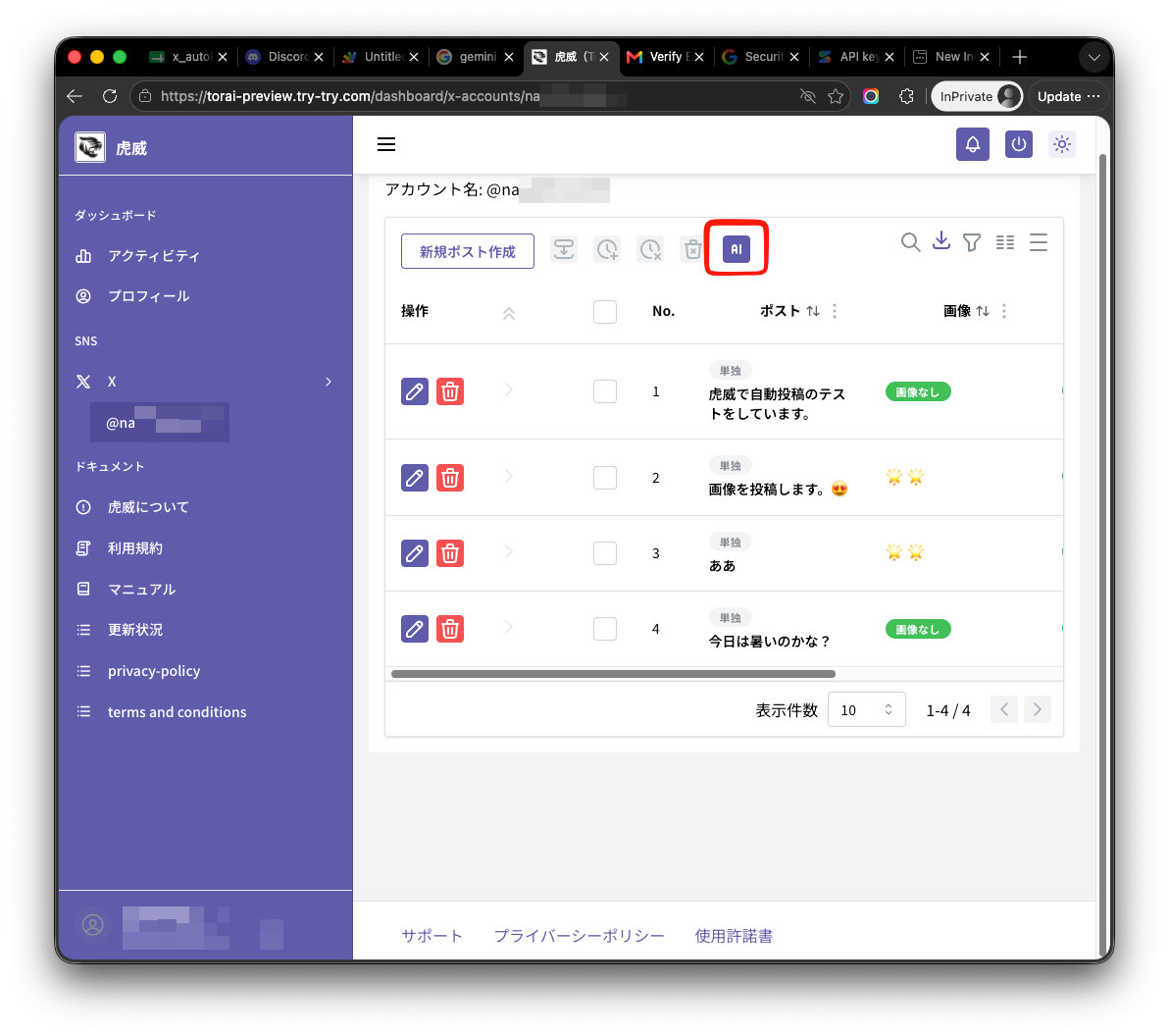
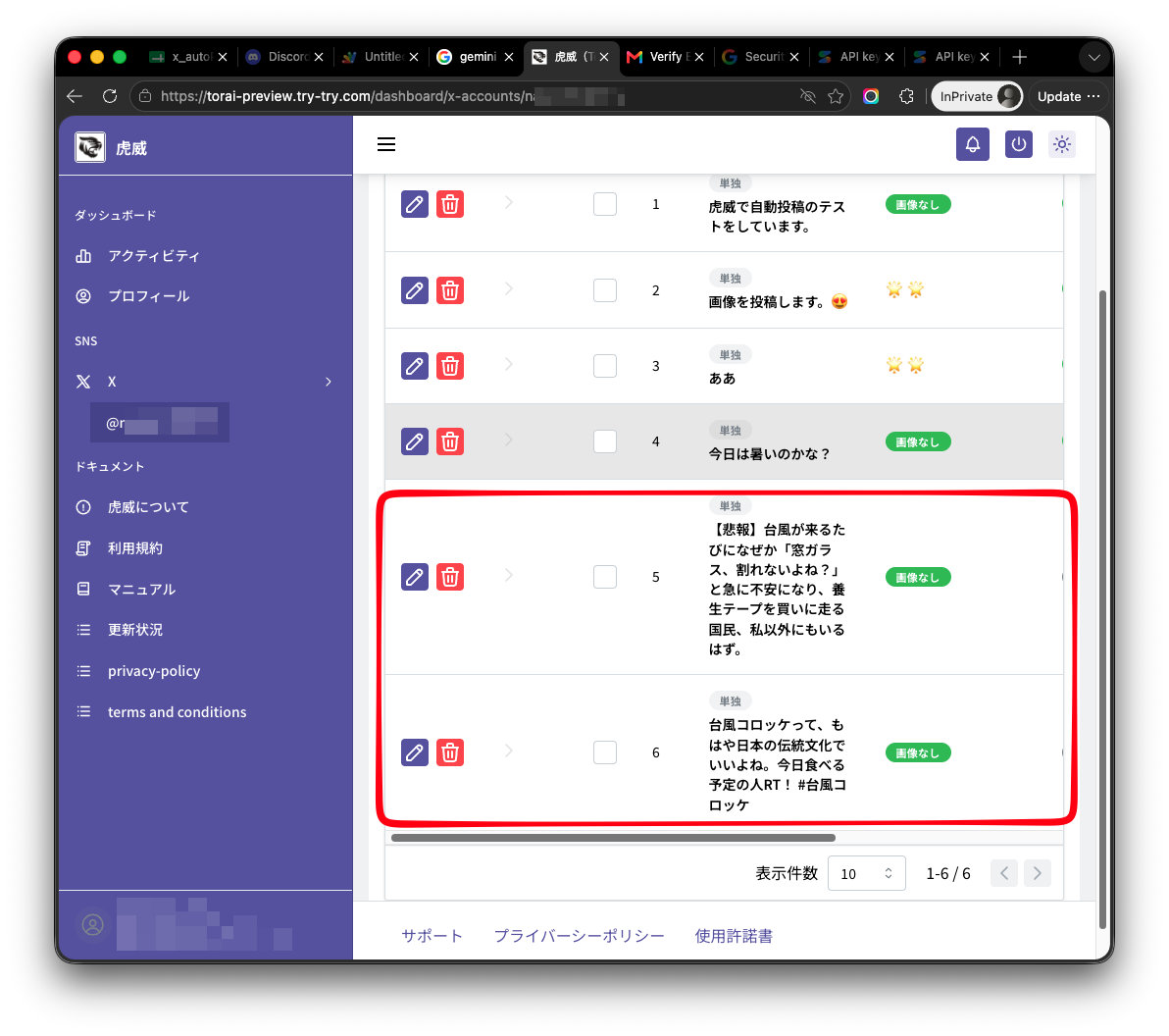
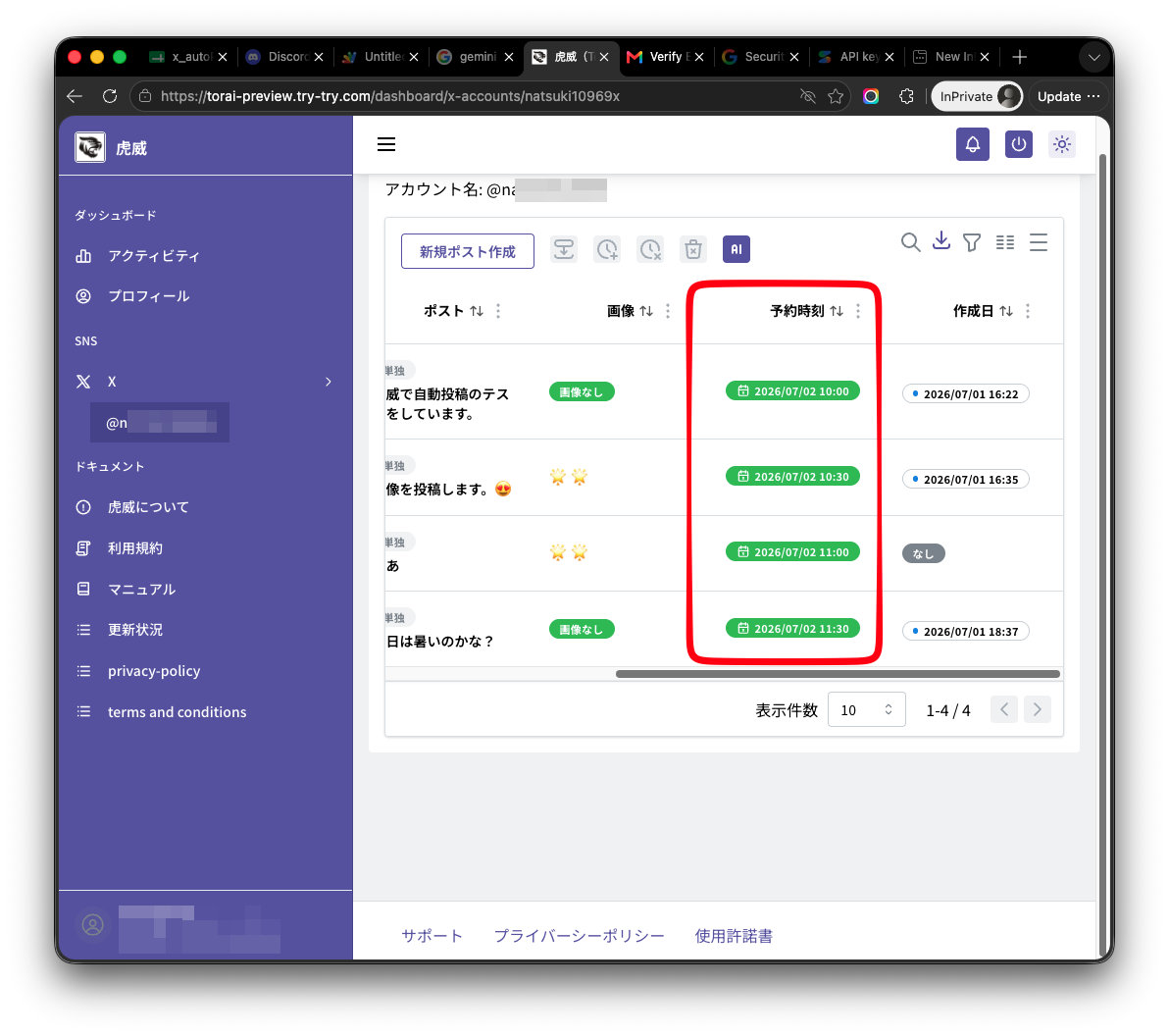
Review multiple drafts and scheduled times together, then use the results to improve your next posts.
X MARKETING
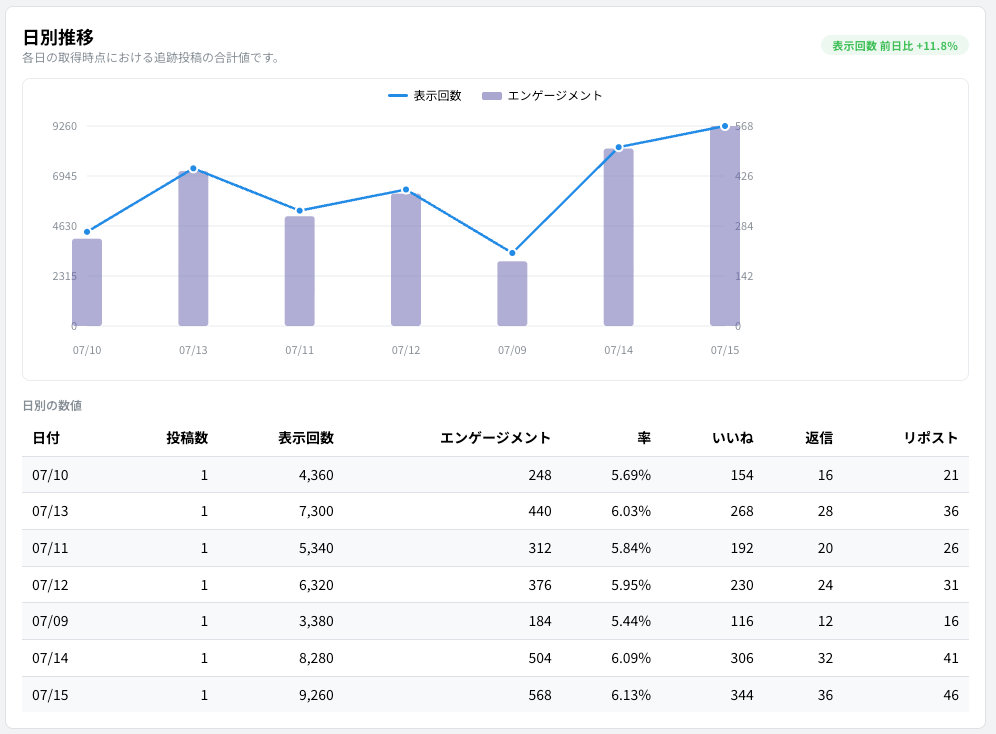
Organize X API data automatically, identify response trends, and manage people who engaged with your posts.
Torai does not automatically like or repost. You decide who to respond to and take the action yourself.
GET STARTED
The illustrated official manual is available whenever you need a detailed step.
Sign in to Torai with your Google Account.
Configure the X API and Google services by following this manual.
Create your drafts and schedule them for the dates and times you choose.
FAQ
See the official manual for complete setup and operating instructions.
Open the manualCreating an account with Google is free. Charges begin when you start a subscription.
External services such as the X API and Gemini API may charge separately based on your usage.
This official manual provides illustrated steps from account registration through configuration and publishing.
After signing in, open Profile and select Referral Program to find your personal referral link.
SPEND LESS TIME WORKING. LEARN MORE FROM DATA.
Account creation is free. Get started with your Google Account.
Create a free account with Google